


Claude AI in 2026: An Honest Review of Its Strengths and Weaknesses
Artificial intelligence has become an essential part of how people write, research, code, and solve everyday problems. With so many AI assistants available, choosing the right one is no longer just about finding the smartest model. It is about understanding which tool fits your workflow, where it saves time, and where you still need to double-check its work.
Claude, developed by Anthropic, has built a strong reputation for writing, coding, document analysis, and working with complex instructions. Its approach to AI safety and its features for creating interactive content have also made it an interesting option for developers, professionals, and everyday users.
But is Claude the right AI assistant for everyone?
The answer depends on what you expect from it. Claude can be highly useful for certain tasks, but it is not infallible, and some of its advantages become less significant when compared with other modern AI tools.
This guide explores how Claude works, its biggest strengths and limitations, and practical ways to get more reliable results from it.
1. What Makes Claude Different? Understanding Constitutional AI
To understand Claude’s approach to AI assistance, it helps to look at how Anthropic thinks about model behavior.
One of the company’s best-known approaches is Constitutional AI, a training method designed to guide an AI system using an explicit set of principles. Anthropic introduced this approach to help models produce useful responses while reducing harmful behavior.
Traditional reinforcement learning from human feedback, or RLHF, uses human preferences to help train models. Human reviewers compare or evaluate responses, and the resulting feedback helps shape how the model answers questions.
Constitutional AI introduces another layer. In the approach described in Anthropic’s original research, an AI model uses written principles to critique and revise responses. AI-generated feedback is also used during a reinforcement learning stage to guide the model toward preferred behavior.
Anthropic has continued developing this approach, and its published constitution has evolved over time. The underlying idea is to make the principles guiding Claude’s behavior more explicit and understandable.
You can explore the background in Anthropic’s Constitutional AI research.
How does this affect everyday use?
The goal is not simply to make Claude polite. It is to encourage responses that balance helpfulness, honesty, and safety.
For example, when asked to explain a controversial issue, Claude may organize competing arguments and explain their differences instead of immediately presenting one position as unquestionably correct.
When a request involves potentially harmful activity, it may explain the concern and offer a safer alternative.
However, these are goals rather than guarantees. Claude can still misunderstand context, produce biased answers, refuse harmless requests, or present incorrect information confidently.
Its approach to safety also does not automatically make its writing better than every competitor. Writing quality depends on the task, the model version, the instructions, and the quality of the source material.
The important distinction is that Constitutional AI helps shape Claude’s behavior; it does not eliminate mistakes.
2. Where Claude Excels
Claude offers several capabilities that can make it a valuable part of a professional workflow. Three areas are particularly worth understanding.
A. Long-Form Writing and Tone Matching
Writing is one of the most common uses of AI, but producing a long article that remains coherent from beginning to end is more demanding than generating a few paragraphs.
A useful article needs a clear argument, logical transitions, varied sentence structures, and enough detail to answer the reader’s questions. It also needs to avoid repeating the same idea in slightly different words.
Claude can be useful for drafting long-form content, restructuring rough notes, editing existing articles, and adapting material to a specified tone.
For example, imagine you are preparing an article about website performance. You already have research notes covering page speed, image optimization, caching, and code efficiency.
Rather than asking Claude to write an entire article from a vague title, you could provide the notes, define the intended audience, and ask it to develop a logical outline before drafting each section.
You could then supply a writing sample and ask Claude to follow its general characteristics, such as sentence length, level of formality, and use of technical terminology.
This approach gives the model clearer direction than simply requesting an article that sounds professional.
The limitation: Claude can still produce generic introductions, repetitive conclusions, and familiar AI writing patterns. It may also invent transitions or supporting details that were not present in your research.
Treat its output as a draft that needs editorial judgment, not a finished article that is automatically ready to publish.
B. Working With Long Documents and Large Amounts of Context
Another useful capability is Claude’s ability to work with substantial amounts of text and supported document formats.
Depending on the model and product configuration, Claude offers large context windows, with some models supporting up to 200,000 tokens. A context window is the amount of information a model can consider within a request or conversation, including relevant instructions and previous messages.
This can be useful when working with lengthy reports, technical documentation, research papers, meeting transcripts, or codebases.
Consider a developer reviewing documentation for an unfamiliar API. Instead of repeatedly copying small sections into separate conversations, the developer may be able to provide the relevant documentation and ask targeted questions about authentication, request parameters, error handling, and implementation requirements.
Similarly, a business owner could use Claude to compare several reports, identify recurring themes, or extract specific information from uploaded documents.
However, a large context window does not mean perfect memory or guaranteed accuracy. The model may overlook details, confuse similar passages, or misunderstand a document’s meaning.
For important work, ask Claude to identify the relevant source passages, distinguish explicit statements from inferences, and acknowledge when the supplied material does not contain an answer.
This makes document analysis easier to verify.
C. Coding and Interactive Artifacts
Claude can also help with programming, debugging, code explanations, and prototyping interfaces.
One feature worth knowing about is Artifacts, which provides a dedicated workspace for supported content generated during a conversation. Depending on the content and available features, an Artifact can display things such as code, documents, diagrams, and interactive web components.
For example, a user might ask Claude to create a simple HTML landing page, a small React interface, or an interactive visualization.
Instead of viewing everything as a block of text, the user can preview supported output, review the result, and request changes through the conversation.
This can make experimentation easier, particularly for people who want to explore an idea before building a complete application.
A beginner could request a simple pricing calculator and then ask for clearer labels, improved spacing, or additional input fields. A developer could use the same process to explore alternative layouts before implementing the final version.
Still, a working preview is not proof that the code is production-ready. Security, accessibility, browser compatibility, error handling, and performance may all require additional testing.
Claude is best treated as a coding assistant that accelerates development, not a replacement for testing and technical review.
3. Where Claude Falls Short

Claude has plenty to offer, but understanding its limitations is just as important as knowing its strengths.
A. Web Search and Current Information
One outdated assumption about Claude is that it cannot search the web. Claude does support web search, which can provide current information and citations. Anthropic also offers a Research feature on eligible paid plans that can conduct multiple searches to investigate a question more thoroughly.
Availability depends on the feature, account, and setup. You can check Anthropic’s official web search guide for details.
Even with web search enabled, Claude is not guaranteed to find every relevant source or interpret every page correctly. Search results can be incomplete, and citations need to be checked against the original material.
For example, if you are researching a recently updated SEO guideline, ask Claude to locate the official documentation, identify the publication or update date, and distinguish confirmed recommendations from its own interpretation.
This is more reliable than asking it to explain the latest changes using its existing knowledge alone.
B. Usage Limits and Workflow Interruptions
Claude has usage limits, and the amount of work you can complete depends on factors such as your plan, the model you use, and how demanding your conversations are.
Large documents, extended coding sessions, and research tasks can consume more of your available usage than short questions.
This can be frustrating when you are halfway through an important project and need to continue working. However, there is no single message count that applies to every user or task, so claims that a particular number of messages will always exhaust your allowance should be treated cautiously.
A practical solution is to work efficiently. Provide relevant source material once, define your requirements clearly, and divide large assignments into manageable stages. Avoid repeatedly generating complete drafts when a focused revision would be sufficient.
C. Errors, Overconfidence, and Safety Restrictions
Claude can occasionally refuse harmless requests or misunderstand the intent behind a technical or creative question. It can also provide an incorrect answer in a confident tone.
Neither issue is unique to Claude. All general-purpose AI assistants have limitations, and their behavior can vary between models and updates.
The best approach is to provide context, explain the purpose of your request, and ask for alternatives when a response misses the mark. For factual or technical work, verify important claims independently rather than assuming a polished answer is correct.
D. It Still Requires Human Judgment
Perhaps the biggest limitation is less about a specific feature and more about how people use AI.
Claude can generate an article, review code, summarize a report, or suggest a strategy. But it does not automatically know which information matters most to your audience, whether a recommendation fits your business, or whether an article contributes something genuinely useful.
Those decisions still require judgment.
For example, an AI-generated product review might have an excellent structure but lack actual testing results. Publishing it as a firsthand review would mislead readers, regardless of how polished the writing sounds.
The same principle applies to technical tutorials, business advice, and SEO content. AI can accelerate the work, but accuracy, originality, and accountability remain essential.
4. Claude AI: Pros and Cons at a Glance
Here is a quick summary of the main trade-offs.
| Pros | Cons |
| Strong capabilities for long-form drafting and editing | Writing may still sound generic without good instructions |
| Useful for analyzing lengthy documents | Important details can still be missed |
| Artifacts support interactive content and prototypes | Generated code still needs testing |
| XML tags and examples can improve prompt structure | Complex prompts may require several revisions |
| Web search and Research can support fact-finding | Sources and conclusions need verification |
| Projects help organize recurring work | Some features require eligible paid plans |
| Can assist with coding, planning, and research | Usage limits can interrupt intensive sessions |
The main takeaway is that Claude’s strengths are most valuable when the task benefits from context, careful instructions, and iterative refinement. Its limitations become more noticeable when users expect it to operate without supervision.
5. Five Practical Tips for Getting Better Results From Claude
You do not need complicated prompts to get useful answers. In most cases, clear instructions, relevant context, and a way to verify the output will make a bigger difference than clever wording.
Tip 1: Use XML Tags to Organize Complex Prompts
When a prompt includes several documents, examples, and formatting rules, it helps to separate each part clearly.
Anthropic’s prompting documentation recommends descriptive XML-style tags as one way to organize complex instructions. The tags are not magic; their value comes from making the different parts of your request easier for the model to distinguish.
For example:
<context>
We are writing a practical guide to website performance
for intermediate web developers.
</context>
<source_material>
Paste verified research, technical notes, and references here.
</source_material>
<requirements>
– Use clear, natural language.
– Explain technical terms when first introduced.
– Avoid repeating the same advice.
– Do not invent statistics or citations.
</requirements>
<task>
Create an article outline based on the supplied material.
Identify any important gaps before drafting the article.
</task>
This structure separates background information from the actual task. It is especially useful when working with long documents or strict editorial requirements.
You can find more examples in Anthropic’s prompting best practices.
Tip 2: Use Projects for Recurring Work
If you repeatedly work on the same website, coding project, or content strategy, Projects can help keep relevant instructions and reference materials organized.
Projects are available on eligible paid Claude plans. You can create a project, upload relevant documents to its knowledge base, and set project instructions that apply to chats within it.
Imagine managing a technology blog. You could create a dedicated project containing:
- Your editorial guidelines and preferred writing style.
- Existing articles to help avoid unnecessary repetition.
- Target audience information and category descriptions.
- Research documents and technical references.
When starting a new article, you would not need to reintroduce the entire project from scratch.
One important distinction: conversations within a project do not automatically share every detail with one another. Put essential information in the project’s knowledge base or instructions rather than assuming Claude will remember every previous discussion.
See Anthropic’s official Projects guide for details.
Tip 3: Ask for Verification, Not Just Reasoning
For complicated tasks, asking an AI to think step by step does not guarantee a correct answer. A more useful habit is to specify how the final result should be checked.
For example, when asking Claude to review a technical implementation, try this:
Analyze the proposed implementation against the requirements provided. Identify assumptions, edge cases, and potential failure points. Then check the final recommendation against each requirement. Clearly distinguish verified facts from assumptions, and flag anything that requires testing.
For mathematical or coding tasks, you can also request test cases, calculations, or reproducible checks.
This approach focuses on the quality of the result rather than simply requesting a longer explanation. It still cannot guarantee correctness, but it makes mistakes easier to identify.
Tip 4: Ground Answers in Source Material
If you upload a report or technical document, make it clear whether Claude should use only that material or whether it may supplement the answer with external research.
For a source-only task, try:
Base your answer exclusively on the supplied document. For every important conclusion, identify the passage that supports it. If the answer is not present, state “Information not present in source text.” Do not fill gaps with assumptions.
For a research task, use a different instruction:
Start with the supplied material, then search for current information from authoritative sources. Cite the sources for important claims, identify conflicting information, and distinguish what the sources establish from your own analysis.
These two approaches serve different purposes. Source-only instructions are useful for document extraction, while external research is appropriate when you need updated information.
Neither method makes errors impossible. Check the original sources whenever accuracy matters.
Tip 5: Use Examples to Establish Your Preferred Style
Describing a tone as “engaging,” “professional,” or “human” can be too vague. Examples provide a more concrete reference.
You can supply a short passage you like and explain which qualities you want Claude to reproduce.
<good_example>
Paste a paragraph that reflects your preferred writing style.
</good_example>
<style_requirements>
Match the example’s clarity, sentence variation,
and level of formality.
Do not copy its distinctive phrases or wording.
</style_requirements>
<task>
Rewrite the supplied draft using these style requirements.
Preserve its meaning and factual details.
</task>
You can also provide examples of writing you dislike and explain why they fail, such as repetitive introductions, excessive bullet points, or unsupported claims.
The goal is to communicate editorial preferences precisely. Review the resulting draft and refine your instructions if the output misses the mark.
6. When Should You Use Claude Instead of Another AI Assistant?
There is no universally best AI assistant for every task. Different tools offer different models, interfaces, integrations, and workflows, and their capabilities change over time.
Claude is worth considering when you need to:
- Draft and revise long-form content.
- Analyze lengthy documents or technical references.
- Work through coding problems and prototype interfaces.
- Organize recurring work with Projects.
- Research a topic using web search and, where available, Research.
You may prefer another assistant when its particular integrations, interface, voice capabilities, or connected tools better fit your needs. The right comparison depends on the features available to you and the task you are trying to complete.
Rather than choosing a tool based entirely on online rankings, test a few assistants on the same realistic assignment. Give each the same source material, requirements, and evaluation criteria. Then compare accuracy, completeness, editing effort, and usability.
That will tell you more about which assistant deserves a place in your workflow than a generic list of model rankings.
The Verdict: Is Claude AI Worth Using?
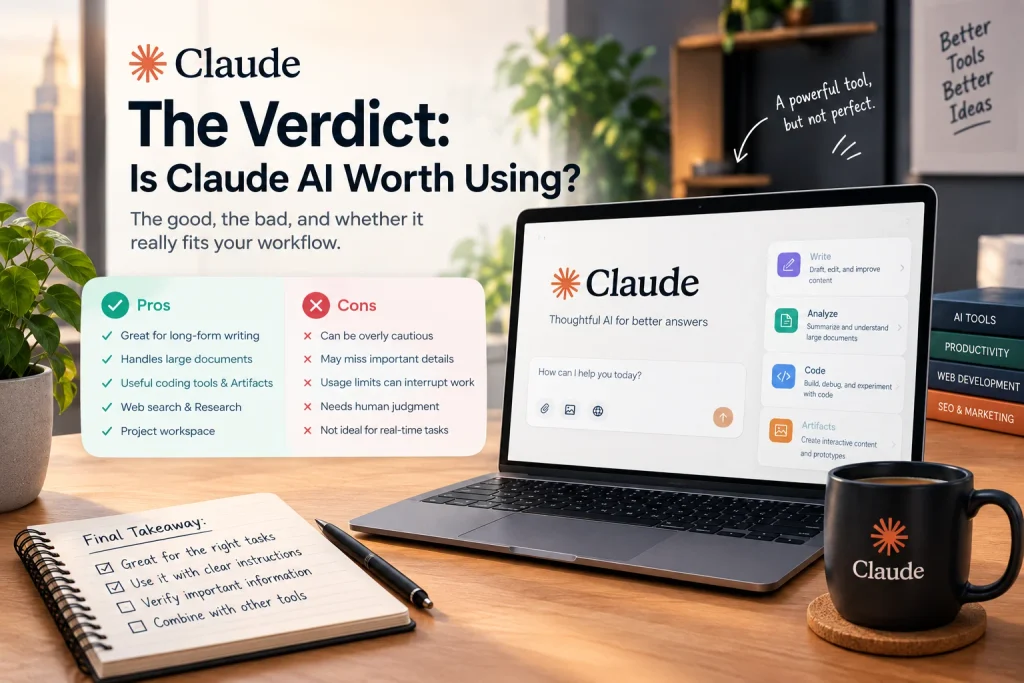
Claude is a capable AI assistant with useful features for writing, coding, document analysis, and research. Its approach to AI alignment, support for structured prompts, Projects, and interactive Artefacts gives it several practical applications.
However, its strengths should not be confused with guarantees. It can produce inaccurate answers, miss details in lengthy documents, generate generic prose, and make mistakes in code. Web search and other advanced capabilities also depend on the features available in your account.
The most effective way to use Claude is to give it a clear task, provide the context it needs, verify important claims, and refine the output based on your actual requirements.
Use AI to improve your work, not to replace your judgement. Whether you choose Claude or another assistant, the quality of the final result still depends on the quality of your sources, the clarity of your instructions, and the care you take before publishing or acting on the answer.
That is what turns an AI-generated response into something genuinely useful.