

Meta Business Suite: A Complete Guide for Beginners
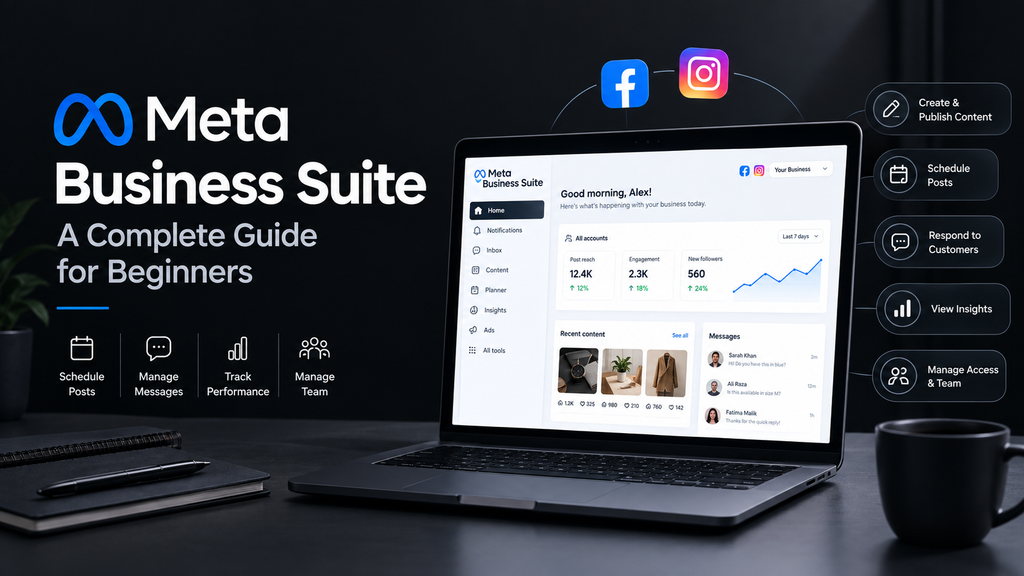
Managing a business across Facebook and Instagram can become difficult when you have to switch between different tools, respond to customers, publish content, and track performance separately. Meta Business Suite brings many of these tasks together in one place, making it easier for businesses and creators to manage their social media presence.
Whether you run a small business, an online store, a personal brand, or a growing company, Meta Business Suite can help you organize your Facebook and Instagram activities more efficiently.
What Is Meta Business Suite?
Meta Business Suite is a platform from Meta that allows businesses to manage their Facebook and Instagram accounts from a centralized dashboard.
Instead of using separate tools for publishing content, checking messages, viewing insights, and managing your social media activity, you can handle many of these tasks through Meta Business Suite.
It is designed for businesses of different sizes, from beginners managing a single page to teams handling multiple social media accounts.
Why Use Meta Business Suite?
Social media is an important part of modern digital marketing. However, managing multiple platforms can take considerable time.
Meta Business Suite can simplify your workflow by allowing you to:
- Create and publish Facebook and Instagram content
- Schedule posts for later
- Manage comments and messages
- Monitor notifications
- View content and audience insights
- Organize your social media activity
- Manage access for people working on your business accounts
Having these tools in one dashboard can make social media management more organized and efficient.
How to Get Started With Meta Business Suite
Getting started is relatively simple if you already have a Facebook Page or Instagram professional account.
Step 1: Set Up Your Business Accounts
First, make sure your business has the appropriate Facebook and Instagram presence.
For example, an online clothing store may have a Facebook Page and an Instagram professional account where it showcases its products.
Step 2: Access Meta Business Suite
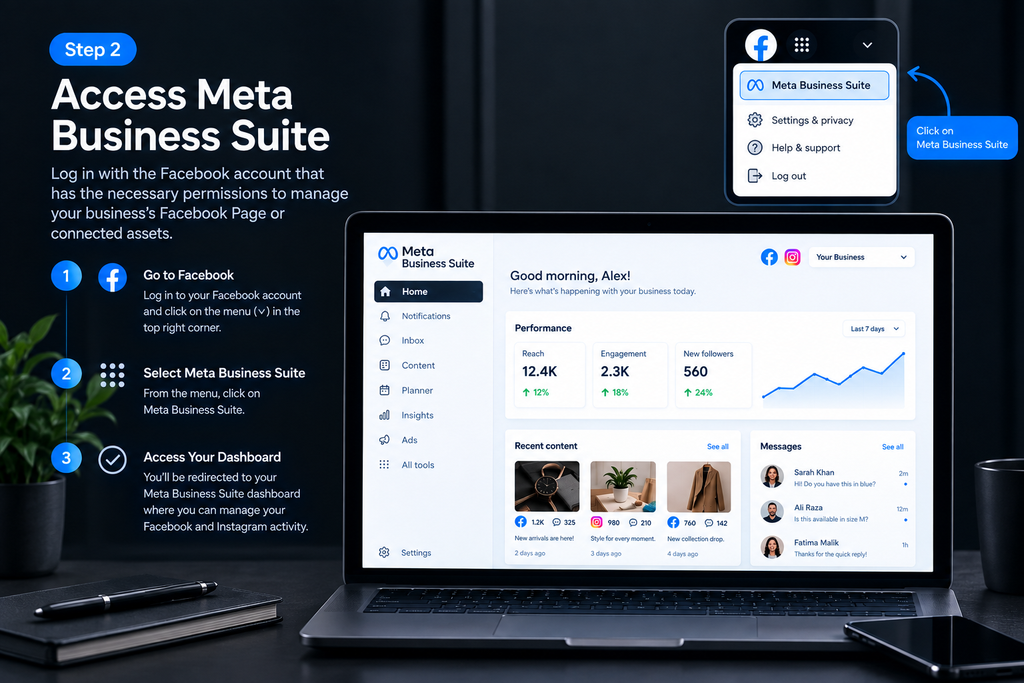
Log in with the Facebook account that has the necessary permissions to manage the business’s Facebook Page or connected assets.
From there, you can access Meta Business Suite and begin managing your business activity.
Step 3: Connect Your Accounts
Connect your Facebook Page and Instagram professional account when applicable.
Once connected, Meta Business Suite can provide a centralized place for managing content and customer interactions across the two platforms.
Step 4: Explore the Dashboard
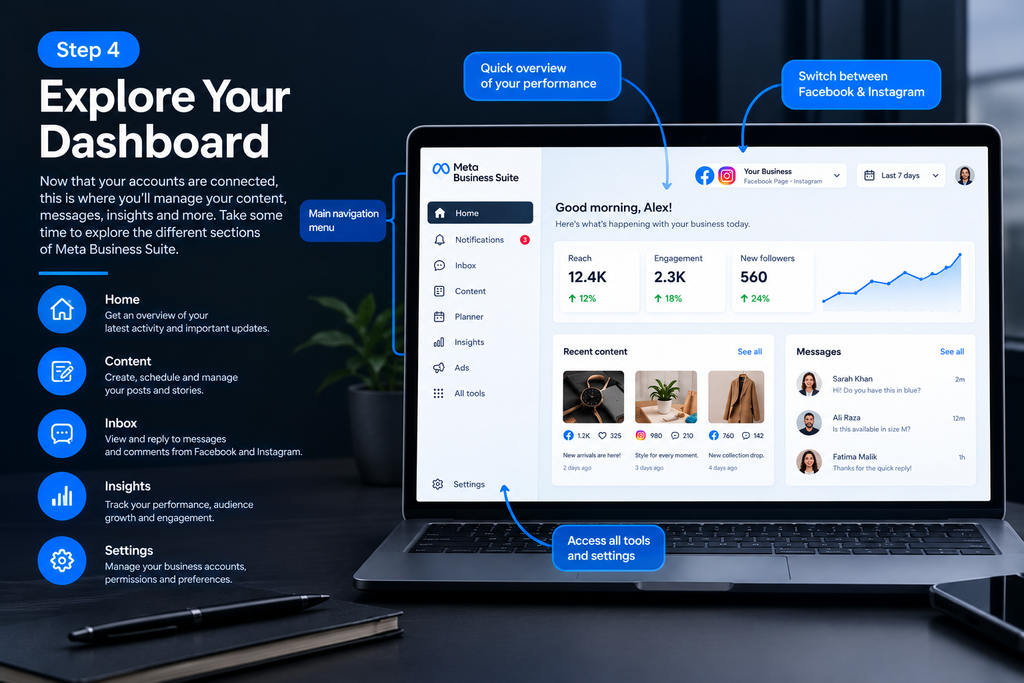
Take some time to explore the available sections.
Depending on your account and permissions, you may find tools for content, inbox management, insights, advertising, and other business activities.
Managing Facebook and Instagram Posts
One of the most useful features of Meta Business Suite is content management.
You can create posts for your social media audience and, where supported, publish content across Facebook and Instagram without creating everything separately.
A consistent content strategy can help your business maintain an active online presence.
What Should You Post?
Your content can include:
- Product announcements
- Educational posts
- Industry tips
- Behind-the-scenes content
- Customer stories
- Special offers
- Videos and reels
- Frequently asked questions
- Brand updates
Try to create content that provides useful information rather than focusing entirely on selling.
How to Schedule Social Media Posts
Scheduling allows you to prepare content in advance and publish it at planned times.
For example, instead of creating a post every morning, you could prepare several posts at once and schedule them throughout the week.
A simple workflow is:
- Open the content creation section.
- Create your post.
- Select the Facebook or Instagram destination.
- Choose the scheduling option.
- Select your desired date and time.
- Review the post.
- Schedule it.
Scheduling can help businesses maintain a consistent publishing routine.
Managing Messages and Comments
Customer communication is another important part of social media management.
Meta Business Suite can bring messages and interactions from supported Facebook and Instagram accounts into a centralized inbox.
This can make it easier to respond to questions such as:
- “What is the price?”
- “Do you offer delivery?”
- “What sizes are available?”
- “How can I place an order?”
- “When will my order arrive?”
Quick and helpful responses can make it easier for customers to get the information they need.
Understanding Meta Business Suite Insights
Creating content is only part of social media marketing. You also need to understand how your content performs.
Meta Business Suite provides insights that can help you analyze your social media activity.
Depending on the account and available features, you may be able to examine information related to:
- Content performance
- Reach
- Engagement
- Audience activity
- Follower growth
- Individual post performance
Use this information to understand which types of content are generating meaningful engagement.
For example, if educational videos consistently receive more interaction than promotional posts, you may decide to produce more educational content.
Using Insights to Improve Your Strategy
Analytics become more useful when you turn them into decisions.
Instead of simply checking numbers, ask questions such as:
Which posts received the most engagement?
Look for patterns in your strongest-performing content.
Which content formats perform well?
Compare formats such as images, videos, reels, and other available content types.
What topics interest my audience?
Identify subjects that consistently attract attention.
When does my audience interact with my content?
Use available audience activity information to help plan your publishing schedule.
Remember that social media performance can change over time, so avoid making decisions based on one post alone.
Managing Team Members
Businesses often have multiple people working on their social media accounts.
Meta’s business tools can allow businesses to manage access and assign appropriate permissions to team members, depending on the available account structure and settings.
For example, a business might have:
- A social media manager
- A content creator
- A customer support employee
- An advertising specialist
Giving people only the access they need can help keep business accounts organized.
Meta Business Suite vs. Meta Ads Manager
Meta Business Suite and Meta Ads Manager are related but serve different purposes.
Meta Business Suite focuses on broader day-to-day business and social media management, including content, messages, and insights.
Meta Ads Manager is primarily focused on creating, managing, and analyzing advertising campaigns.
Businesses may use both tools as part of their overall Facebook and Instagram marketing strategy.
Tips for Using Meta Business Suite Effectively
1. Create a Content Calendar
Plan your content before publishing it. A content calendar can help you maintain consistency and avoid last-minute decisions.
2. Review Your Analytics Regularly
Check your performance data periodically to understand what is working and where there is room for improvement.
3. Respond to Customers Promptly
Monitor your inbox and comments regularly so customers do not have to wait unnecessarily for basic information.
4. Maintain Consistent Branding
Use consistent visual elements, messaging, tone, and product information across your social media profiles.
5. Test Different Content
Experiment with different topics and formats. Compare their performance and use the results to improve your content strategy.
6. Avoid Posting Only Promotional Content
A business page should not feel like a continuous advertisement. Educational, entertaining, and useful content can help build a stronger relationship with your audience.
Common Mistakes to Avoid
Beginners sometimes make social media management more complicated than it needs to be.
Here are some common mistakes to avoid:
Posting without a strategy:
Publishing random content can make it difficult to build a consistent brand identity.
Ignoring customer messages:
A social media account is also a communication channel. Unanswered questions can create a poor customer experience.
Focusing only on follower numbers:
A large audience does not automatically mean strong business results. Engagement and meaningful customer interactions can also matter.
Never reviewing analytics:
Without looking at performance data, you may continue spending time on content that does not achieve your goals.
Giving unnecessary account access:
Only provide team members with the permissions they need to perform their responsibilities.
Is Meta Business Suite Useful for Small Businesses?
Meta Business Suite can be particularly useful for small businesses that want to manage their Facebook and Instagram activity without maintaining multiple separate workflows.
A small business owner can use it to plan content, respond to customers, monitor performance, and organize social media tasks from a centralized environment.
However, the right tools depend on the size of the business, its marketing goals, and the platforms it uses.
Final Thoughts
Meta Business Suite provides businesses with a centralized way to manage important Facebook and Instagram activities. From scheduling content and responding to customers to reviewing performance insights, it can simplify many everyday social media management tasks.
For beginners, the best approach is to start with the basics: connect your business accounts, create a simple content schedule, respond consistently to customers, and regularly review your performance data.
As your business grows, you can explore additional Meta tools and develop a more detailed social media and advertising strategy.
Meta Business Suite is not a replacement for a complete marketing strategy—it is a tool that can help you organize and execute your social media activities more efficiently.