

The Devastating Cost of Slow Site Speed on E-Commerce Conversions (And How I Fixed It)
A few months ago, I was looking at a client’s analytics dashboard with a frustrating problem: steady incoming search traffic, healthy add-to-cart intent, but a checkout completion rate that had hit a wall.
When we ran a granular speed audit across mobile devices, the root cause became obvious. The homepage was taking over 4.2 seconds to load, and product pages were choking under unoptimized asset payloads.
In e-commerce, speed isn’t a vanity metric—it is directly tied to revenue. Comprehensive benchmark research from Think with Google demonstrates that as page load time goes from 1s to 3s, the probability of a bounce increases by 32%. On a store doing $50,000 a month, a two-second delay can quietly cost thousands in lost orders every year.
Here is what I learned from digging into the technical bottlenecks, along with the exact steps we took to fix them.
1. Where E-Commerce Speed Goes to Die
When diagnosing slow store performance, the issue is almost never a single large file. Instead, it’s usually “death by a thousand cuts.”
- Bloated Media Libraries: Uncompressed PNGs and massive hero banners being served directly to mobile screens without dynamic resizing.
- Database Overhead: Over time, custom options, transient data, redundant revision history, and unindexed tables slow down database response time (Time to First Byte / TTFB).
- Render-Blocking Scripts: Multiple tracking pixels, heatmaps, live chat widgets, and third-party marketing apps firing before the primary critical CSS and HTML are rendered.
- Lack of Effective Caching & CDN Distribution: Serving static assets directly from a single web server instead of distributing content across edge networks, forcing global visitors to suffer latency.
If your online store is built on a custom Content Management System or WordPress, asset bloat is usually the primary culprit behind poor performance. To see how we structure media library cleanup and prune backend overhead step-by-step, check out our guide on How to Clean Up a Cluttered CMS: Database & Media Library Audit Guide over on Zestwear.
2. Understanding the Core Web Vitals That Impact Revenue

To systematically fix performance, you have to measure what users actually experience. We test our sites using Google PageSpeed Insights to track the core user experience metrics defined on web.dev:
- LCP (Largest Contentful Paint): How fast the main content (usually product images or main hero banners) loads. Aim for under 2.5 seconds.
- INP (Interaction to Next Paint): Measures overall page responsiveness when users click buttons, open mobile menus, or select product variants. Keep this under 200 milliseconds.
- CLS (Cumulative Layout Shift): Measures visual stability. High CLS occurs when images without explicit dimensions or dynamic banners pop in late, pushing product add-to-cart buttons down right as the user tries to tap them. Keep this score below 0.1.
3. The Step-by-Step Fixes That Restored Our Conversions
To reverse the drop in sales, we executed a targeted performance cleanup:
- Offloading & Optimizing Assets: We converted all legacy image formats to WebP, implemented dynamic responsive image sizing tags, and enabled native lazy-loading for off-screen product galleries.
- Database & CMS Pruning: We cleaned out orphaned database tables, cleared expired transients, and purged redundant plugins that were running background calls on every request.
- Optimizing Critical Path Rendering: We deferred non-essential JavaScript (chat widgets and tracking scripts) until after primary page interactive events, ensuring shoppers could view and tap product options immediately.
- Edge Caching & CDN Configuration: We routed static assets through a Content Delivery Network (CDN) with edge caching enabled, dropping geographic TTFB delays across international buyers.
4. The Business Results: Speed as a Growth Engine
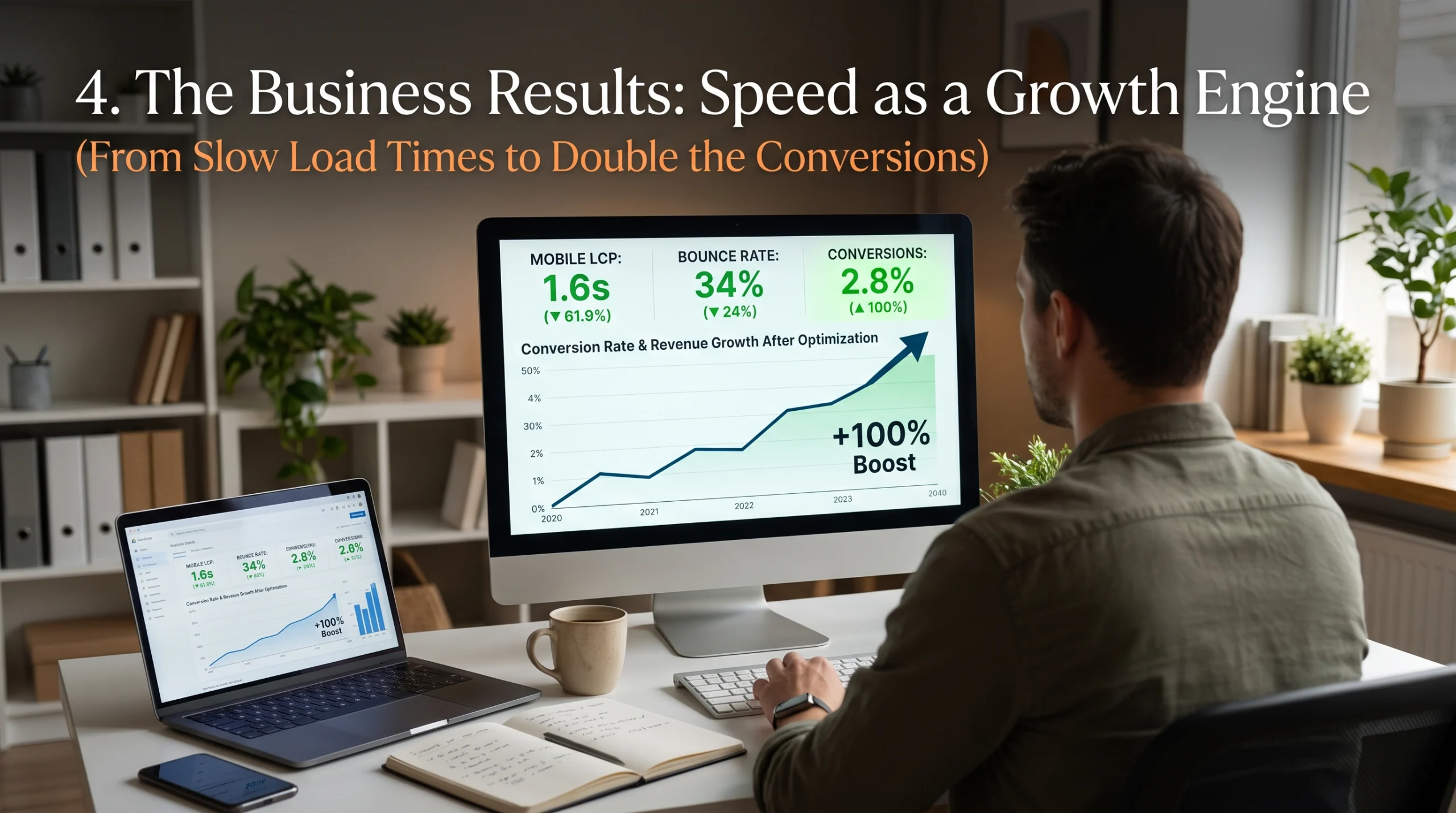
After implementing these optimizations, our performance metrics shifted dramatically:
| Metric | Before Optimization | After Optimization | Impact |
| Mobile LCP | 4.2s | 1.6s | 61.9% speed increase |
| Bounce Rate | 58% | 34% | 24% reduction in drop-offs |
| Checkout Conversions | 1.4% | 2.8% | 100% boost in completed orders |