
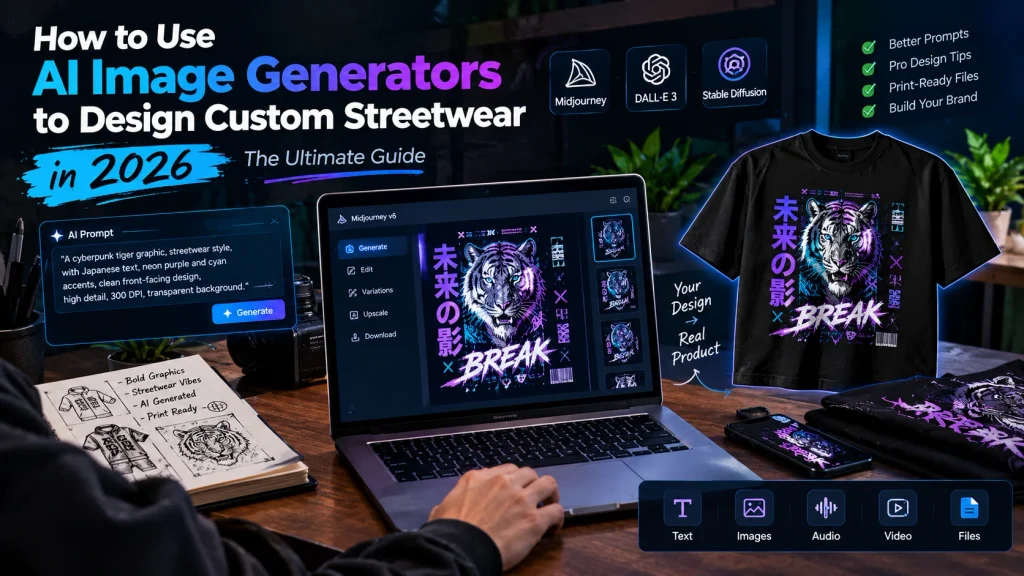
Learn how to design custom streetwear using AI image generators. Master prompt engineering, typography, upscaling, and print-on-demand to launch your brand for free.
How to Use AI Image Generators to Design Custom Streetwear in 2026: The Ultimate Guide
The streetwear industry has always been driven by disruption, bold aesthetics, and rapid trend cycles. Historically, launching an independent apparel line required a significant upfront investment in graphic designers, expensive software subscriptions, and massive bulk inventory orders. In 2026, the barrier to entry has been completely shattered by generative AI. You no longer need a degree in graphic design or expensive agency retainers to create striking, production-ready apparel. By learning how to use AI image generators, you can conceptualize, refine, and print professional-grade streetwear directly from your laptop.
However, generating a cool image on a screen is only ten percent of the battle. The real challenge—and where most new brand owners fail—lies in prompting for the correct angles, integrating typography natively, preparing the file for high-quality fabric printing, and navigating copyright. This 1,500+ word masterclass covers every single step of designing custom streetwear using artificial intelligence, from the initial text prompt to the final physical garment.
1. The Core AI Engines: Choosing the Right Tool for Your Aesthetic
Not all AI image generators are built the same. Your choice of software should depend entirely on the specific streetwear sub-genre you are targeting, whether that is Y2K grunge, technical wear, or minimalist skate apparel.
Midjourney (v6 and beyond)
Midjourney remains the undisputed king of artistic, highly detailed, and gritty aesthetics. If you want hyper-realistic cyberpunk characters, vintage 90s bootleg rap tees, or intricate surrealism, Midjourney is your primary tool. It excels at blending textures, making designs look like they were painted or airbrushed rather than digitally rendered. However, it requires a Discord account to operate and has a steeper learning curve for absolute beginners.
DALL-E 3 (via ChatGPT Plus)
DALL-E 3 is the best engine for prompt adherence and text generation. If your design relies heavily on words interacting seamlessly with the art, DALL-E 3 understands spatial relationships and spelling far better than its competitors. It is highly intuitive, allowing you to converse with the AI to tweak minor details (e.g., “make the skateboard slightly more distressed” or “change the background color to neon green”).
Stable Diffusion
Stable Diffusion is the ultimate choice for advanced users who need absolute, pixel-perfect control. By utilizing a feature called ControlNet, you can guide the exact pose of a character or ensure a design fits perfectly within a specific vector outline. Because it is open-source, you can run it locally on a powerful PC for free, bypassing the subscription fees of Midjourney or OpenAI.
2. Advanced Prompt Engineering for Apparel Graphics
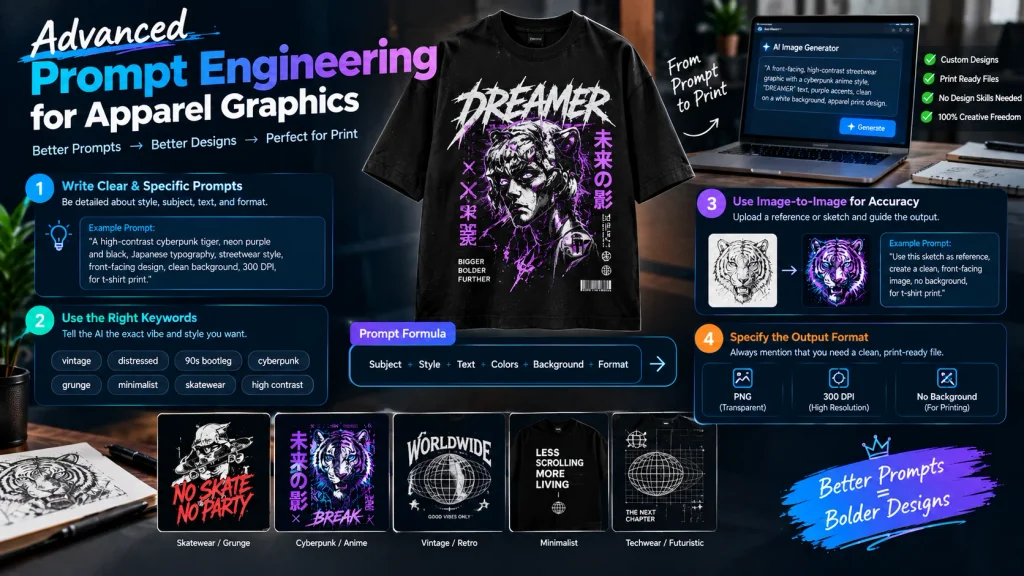
When generating art for clothing, standard prompts will not work. A beautifully generated cinematic landscape might look amazing on a 4K monitor, but printed on a t-shirt, it often looks like an awkward, blocky square that screams “amateur.” You must prompt specifically for apparel formats.
Image-to-Image and The “Front-Facing” Rule
Apparel graphics usually require clean, symmetrical placement on the chest or back of a garment. If you are uploading a reference photo or a rough sketch to base your final design on (a technique known as image-to-image prompting), you must explicitly instruct the AI to format the output correctly.
Using a precise directive like “create a clean, front facing image of this picture on a solid white background” prevents the AI from generating angled, isometric, or cut-off artwork. A front-facing orientation ensures that when you isolate the subject later, it will sit perfectly centered on a hoodie or t-shirt without looking distorted.
Integrating Typography and Skatewear Aesthetics
Modern streetwear relies heavily on bold text overlays and attitude-driven typography. In previous years, AI struggled to spell words correctly, outputting garbled alien languages. Today, engines handle text beautifully if prompted with extreme precision.
If you are designing a skatewear brand graphic, you must enclose your exact desired text in double quotes, which aligns with [official Midjourney documentation on text generation]. For example, your prompt should look like this: ‘A high-contrast, grungy illustration of a broken skateboard deck… the text is “no skate no party” written in bold, dripping graffiti font
“A high-contrast, grungy illustration of a broken skateboard deck, 90s streetwear aesthetic, the text is ‘no skate no party’ written in bold, dripping graffiti font across the bottom, solid white background.”
This tells the engine exactly what words to render and how to physically style them within the artwork, allowing the text to become a native part of the illustration rather than looking like an afterthought slapped on in Microsoft Paint.
Utilizing Aesthetic Keywords
To get the best results, append your prompts with specific industry keywords that dictate the exact vibe of the garment.
- For Vintage: Use keywords like halftone print, distressed, 90s bootleg, faded colors, retro typography.
- For Techwear/Cyberpunk: Use keywords like vector art, mecha, futuristic UI elements, high contrast, monochrome.
- For High Fashion: Use keywords like minimalist, brutalist design, negative space, avant-garde, monochrome.
3. Post-Processing: Isolating the Artwork
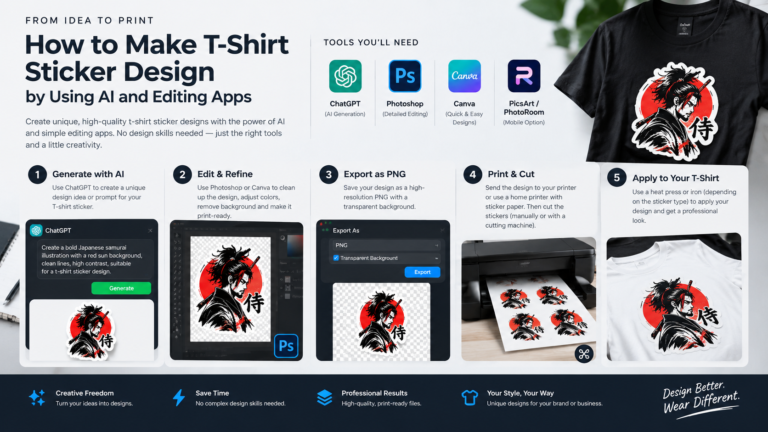
AI generators almost always output images with backgrounds. If you send an image with a solid white or black background directly to a printer, that solid box will be printed directly onto the shirt. You must isolate your design to create a transparent PNG.
Automated Background Removal
For complex, multi-colored designs (like an airbrushed graphic), use AI-powered background removers. Platforms like Canva Pro, Adobe Express, or Photoroom use machine learning to perfectly cut out intricate designs, even preserving fine details like hair or distressed edges.
Vectorization for Simple Designs
If your design is a logo, simple typography, or a two-color graphic, you should convert it into a vector. Use a tool like Vectorizer.ai or Adobe Illustrator’s Image Trace feature to convert the pixel-based generated image into an SVG vector. Vectors are mathematical formulas rather than static pixels; they can be scaled to the size of a billboard without ever losing quality.
4. Preparing for Print: Upscaling and Color Modes
This section covers the most common technical mistakes new clothing brand owners make. Failing to adhere to these rules will result in customer returns and a ruined brand reputation.
The 300 DPI Upscaling Rule
AI platforms typically output images at 72 DPI (Dots Per Inch), which is optimized for web screens. Professional apparel printing—whether Direct-to-Garment (DTG) or screen printing—requires a minimum resolution of 300 DPI. Printing a 72 DPI image will result in a blurry, pixelated disaster on fabric.
Before sending your AI art to the printer, you must use an AI upscaler. Dedicated software like Topaz Gigapixel AI or free, open-source alternatives like Upscayl analyze your low-resolution image and use neural networks to inject new pixels. This process blows the image up to a massive resolution (often exceeding 4000×4000 px) while keeping the edges razor-sharp.
RGB vs. CMYK Color Management
AI image generators output art in RGB (Red, Green, Blue) color mode, which is how digital screens display light. However, physical apparel printers use CMYK (Cyan, Magenta, Yellow, Key/Black) ink.
RGB can produce incredibly vibrant, neon colors (like glowing cyan or electric green) that physical CMYK ink simply cannot replicate. If you do not convert your image to CMYK before printing, the vibrant design you see on your screen will look muddy, dull, and washed out on the shirt. Always use Photoshop or a free alternative like Photopea to convert your upscaled PNG to CMYK color profile to see exactly how it will look when printed, and adjust your contrast accordingly.
5. Validating with High-Converting Mockups
Before spending a dime on inventory or launching your website, you need to see how your AI design behaves on an actual physical garment. Mockups allow you to visualize the drape, scale, and color contrast, and they are essential for your e-commerce product pages.
Use platforms like Placeit for quick, browser-based mockups, or download high-quality Photoshop mockup files from sites like Kittl or Envato Elements. Place your transparent, upscaled PNG onto a mockup of a heavyweight cotton hoodie or vintage-washed oversized tee. This step is crucial for ensuring your design actually looks like premium streetwear. A great design on a cheap, poorly lit mockup will not sell; presentation is everything.
6. Combine AI with Print-on-Demand (POD)
You do not need to buy 500 shirts in advance and store them in your garage to start selling. By linking your Shopify or WordPress/WooCommerce store to a Print-on-Demand supplier like Printful or Printify, you can automate your entire supply chain.
You simply upload your AI-generated, upscaled designs to their virtual catalog of blank garments. When a customer buys a shirt from your website, the POD facility receives the order automatically, prints your AI graphic onto the shirt, packages it, and ships it directly to the buyer with your branding on the label. You only pay for the manufacturing of the shirt after you have already secured the retail price from your customer, making this a virtually zero-risk business model.
Strategic Internal & External Linking for SEO
- Marketing Your Brand: Once your store is live, you need traffic. Selling these newly designed garments without spending thousands on Facebook ads requires mastering organic reach. Applying the tactical frameworks from our comprehensive guide on [zero-budget marketing] will help you build a grassroots community around your new streetwear brand using local SEO and social media referral loops
- File Preparation Standards: To ensure your files meet exact manufacturing standards and prevent printing errors, always cross-reference your upscaled designs with [Printful’s official file preparation guidelines]
7. Navigating AI Copyright in Apparel
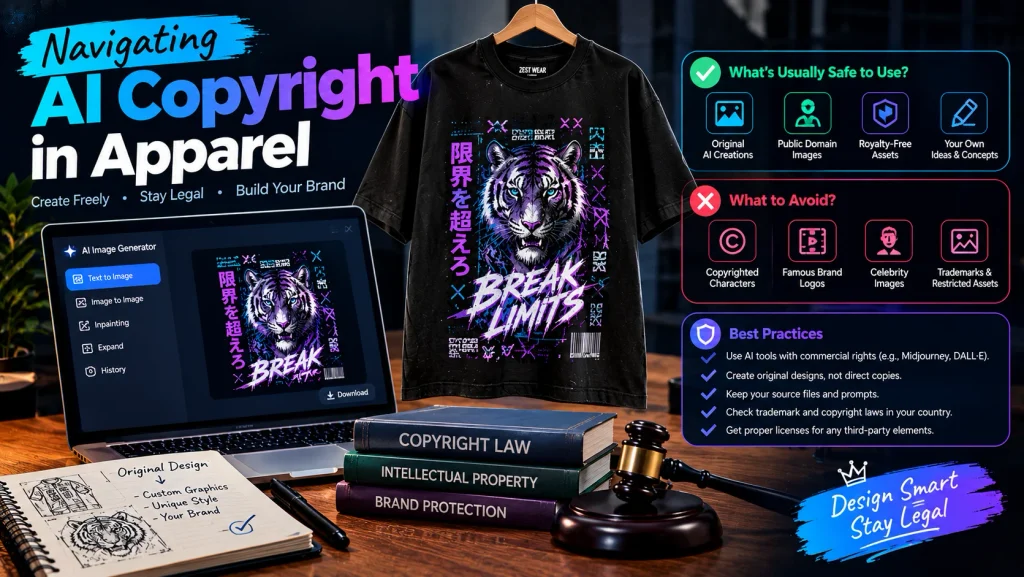
As a final step, it is important to understand the legal landscape of AI-generated art in 2026. Generally, completely raw AI-generated images cannot be traditionally copyrighted because they lack “human authorship.” However, if you take an AI-generated image, heavily edit it, combine it with your own custom typography, and curate it into a broader brand aesthetic, the resulting final garment design is highly defensible.
To protect your brand, always heavily modify your AI generations. Never use prompts that ask for copyrighted characters (e.g., “Mickey Mouse wearing streetwear”) or existing brand logos, as print-on-demand facilities will flag and reject these files immediately, and it opens you up to trademark infringement lawsuits.
Conclusion: The Future of E-Commerce Apparel
The intersection of generative AI and fashion has democratized the clothing industry. The gatekeepers of graphic design and manufacturing have been removed. By mastering specific prompt engineering techniques, rigorously upscaling your files for 300 DPI print quality, converting your colors for CMYK accuracy, and leveraging on-demand manufacturing, you can take a brand-new streetwear concept from a simple text prompt to a physical, profitable product in a matter of hours.
The software has provided the ultimate creative canvas; the only limit to your new apparel brand is your own imagination and your willingness to execute.