
100% Free SEO Tools: Check Ahrefs DR, Website Traffic & Bulk Domain Rating
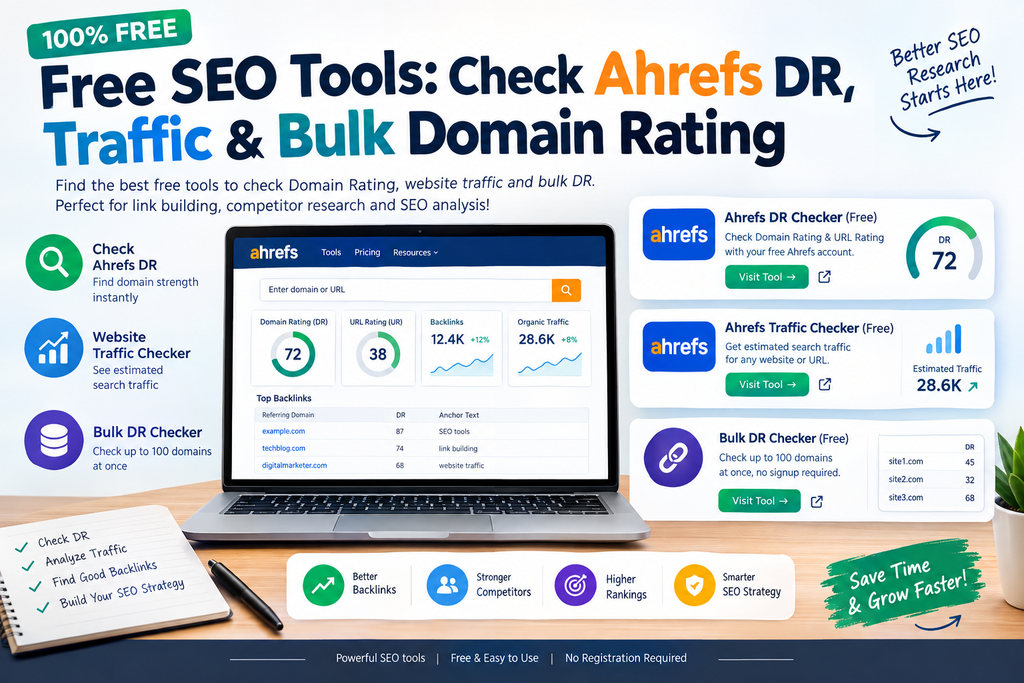
Discover the best free SEO tools to check Ahrefs DR, website traffic and bulk Domain Rating. Learn how to analyze websites for backlinks, guest posts and SEO research.
Introduction
SEO doesn’t always have to be expensive.
If you’re building backlinks, researching competitors, looking for guest post opportunities, or checking potential websites for link building, you can perform many important checks using free SEO tools.
One of the most useful metrics for backlink research is Domain Rating (DR). Ahrefs describes DR as a 0–100 metric that shows the relative strength of a website’s backlink profile.
The problem is that manually checking dozens or hundreds of websites can become extremely time-consuming.
That’s where a combination of a free Ahrefs DR checker, website traffic checker, and bulk DR checker becomes useful.
In this guide, you’ll learn how to check Ahrefs DR for free, how to research website traffic, how to check multiple domains at once, and how to decide whether a website is actually worth pursuing for backlinks.
If you’re interested in more practical SEO, technology, and digital marketing guides, explore Zestwear for more useful resources.
What Is Ahrefs Domain Rating (DR)?
Domain Rating (DR) is an Ahrefs metric that measures the strength of a website’s backlink profile on a scale from 0 to 100.
In simple words, DR helps you understand how strong a website’s backlink profile is compared with other websites in Ahrefs’ database.
For example:
| Website | DR | What It Tells You |
| Website A | 15 | Relatively weaker backlink profile |
| Website B | 40 | Moderate backlink strength |
| Website C | 70 | Strong backlink profile |
However, DR should never be the only metric you use when evaluating a website.
A proper SEO analysis should also consider:
- Organic traffic
- Referring domains
- Backlink quality
- Topical relevance
- Content quality
- Search visibility
- Spam signals
- Website history
This is particularly important when you’re looking for guest posting websites or backlink opportunities.
1. Free Ahrefs DR Checker
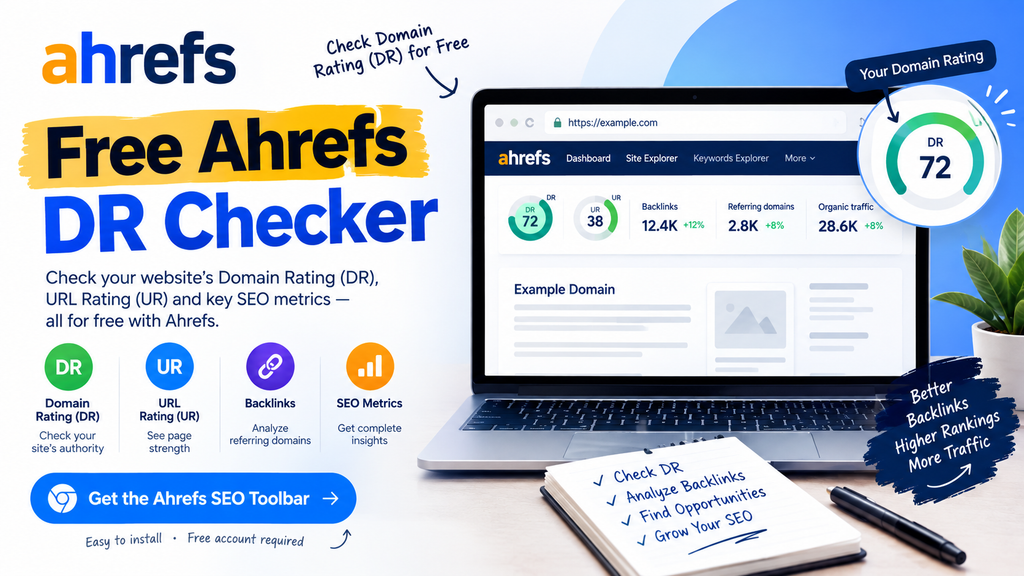
If you want to check Ahrefs Domain Rating for free, the official Ahrefs SEO Toolbar is one of the easiest options.
Ahrefs SEO Toolbar — Free DR Checker
Ahrefs currently states that its free account provides access to Domain Rating (DR) and URL Rating (UR) through the SEO Toolbar.
How to Check Ahrefs DR
Follow these simple steps:
Step 1: Open the Ahrefs SEO Toolbar page.
Step 2: Install the browser extension.
Step 3: Sign in with a free Ahrefs account.
Step 4: Open the website you want to analyze.
Step 5: Check the available DR and UR information.
The toolbar also provides other SEO research features, while some advanced metrics and functionality require a paid account.
Why Check DR?
A free Ahrefs DR checker can be useful for:
- Backlink research
- Guest post research
- Competitor analysis
- SEO outreach
- Website evaluation
- Link-building campaigns
2. Check Website Traffic Before Building a Backlink
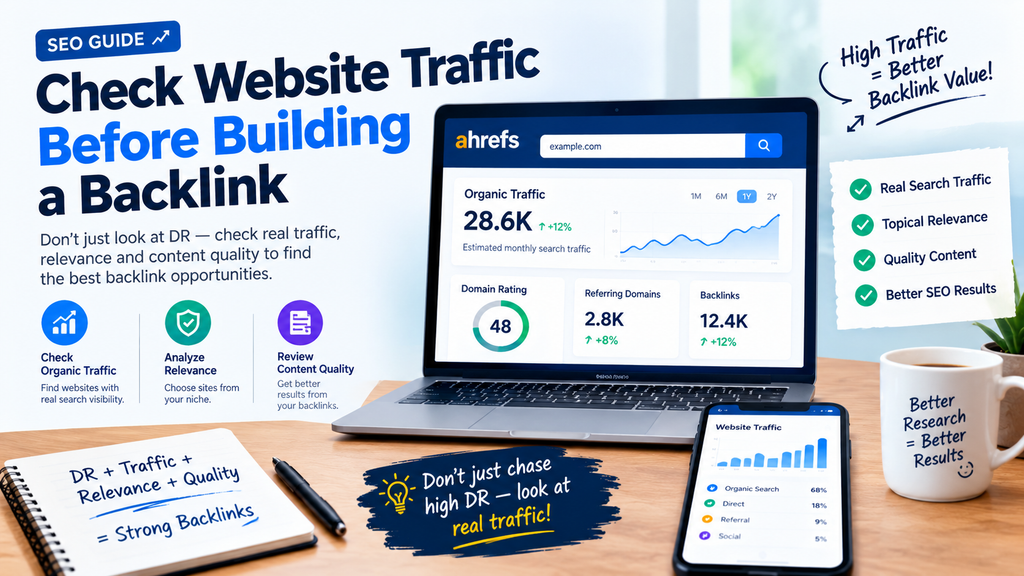
Here’s an important SEO lesson:
Don’t choose a website only because it has a high DR.
You should also investigate whether the website has meaningful search visibility.
For example:
Website A
- DR: 60
- Very little search traffic
- Poor topical relevance
Website B
- DR: 35
- Strong organic visibility
- Relevant to your industry
- High-quality content
The DR number alone doesn’t tell the complete story.
That’s why experienced SEO professionals often look at DR + traffic + relevance + content quality together.
3. Free Bulk DR Checker — Check Multiple Websites Faster
Imagine you have a list of 50 websites.
Checking every domain individually can be frustrating.
Instead, a bulk Domain Rating checker can help you analyze multiple domains together.
For people doing link building, guest-post research, competitor analysis, or SEO outreach, bulk checking can save a significant amount of manual work.
Try a Free Bulk Ahrefs DR Checker
For bulk domain research, you can use the RaasDigital Bulk Ahrefs DR Checker:
RaasDigital — Free Bulk Ahrefs DR Checker
RaasDigital’s current tools page includes a Bulk Ahrefs DR Checker designed to check multiple domains, sort results by DR, and estimate website niche information.
Why Use a Bulk DR Checker?
It’s especially useful for:
- SEO agencies
- Bloggers
- Link builders
- Guest-post researchers
- Website owners
- Outreach specialists
- Competitor researchers
Instead of:
Website → Check → Record → Repeat
you can use:
Domain List → Bulk Check → Sort → Analyze → Shortlist
That makes the research process much more efficient.
If you have dozens of domains to analyze, checking them one by one can take a lot of time. A bulk DR checker lets you evaluate multiple domains together, making it easier to organize backlink prospects, guest-post opportunities, and outreach lists.
For bulk domain research, you can try the RaasDigital Bulk Ahrefs DR Checker. The RaasDigital tools page currently lists a Bulk Ahrefs DR Checker that lets users paste multiple domains, sort results by DR, and estimate the website niche in one table.
How to Use It
Step 1: Collect the domains you want to research.
Step 2: Paste or upload your domain list.
Step 3: Run the bulk DR check.
Step 4: Sort websites by DR.
Step 5: Review niche, traffic, relevance, and content quality.
Step 6: Shortlist the websites that are actually relevant to your SEO campaign.
Important: Don’t select a website based only on its DR. Use DR together with organic traffic, topical relevance, backlink quality, content quality, and spam signals.
4. How to Use a Bulk DR Checker
Let’s say you have a list like this:
example.com
website1.com
website2.com
website3.com
website4.com
The basic process is:
Step 1 — Collect Your Domains
Create a list of websites you’re interested in.
Step 2 — Remove Duplicate Domains
Make sure the same website isn’t appearing multiple times.
Step 3 — Run the Bulk DR Check
Paste your domains into the bulk checker.
Step 4 — Compare DR
Sort the results according to the metric you’re researching.
Step 5 — Investigate Traffic
Don’t stop at DR. Check search visibility and traffic estimates where possible.
Step 6 — Check Relevance
Make sure the website is related to your niche.
Step 7 — Review the Website Manually
Look at the actual content before contacting the website owner.
5. DR vs Website Traffic: What’s the Difference?
This is one of the most important concepts for beginners.
| SEO Metric | What It Helps You Understand |
| DR | Backlink profile strength |
| Organic Traffic | Search visibility |
| Referring Domains | Websites linking to the domain |
| Keywords | Search terms the website ranks for |
| Relevance | Relationship to your niche |
| Content Quality | Quality and usefulness of the website |
A website can have a high DR but weak search visibility.
That’s why you should avoid making decisions based on one SEO metric.
6. How to Find High-Quality Websites for Backlinks
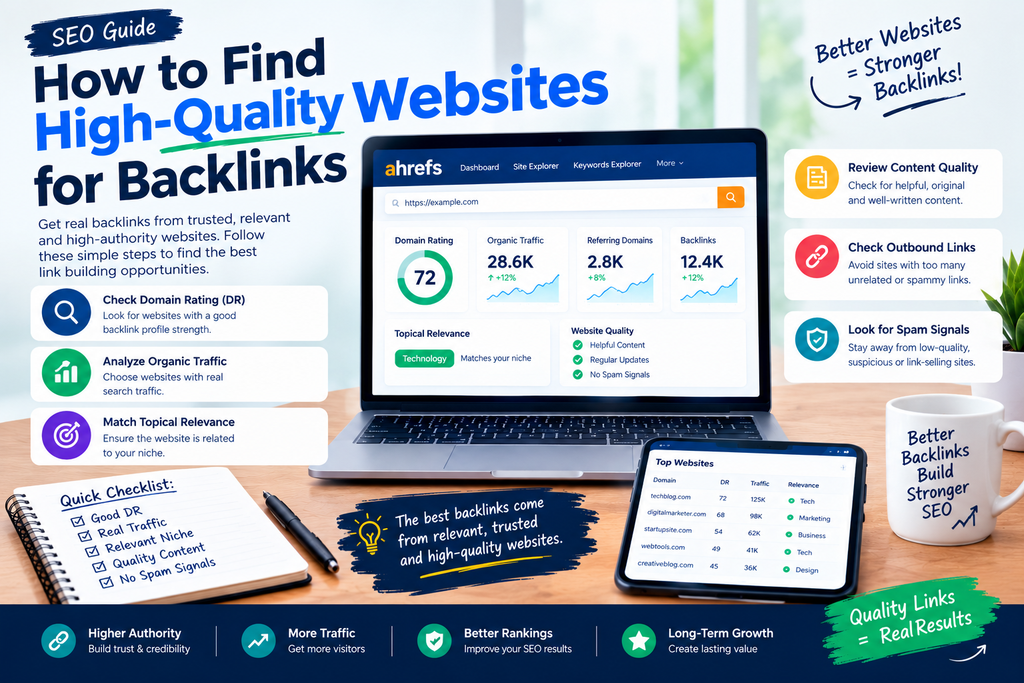
If your goal is link building, use a simple evaluation process.
Check the DR
Start by checking the website’s Domain Rating.
Check Organic Traffic
Look for evidence that the website receives search visibility.
Check Topical Relevance
Ask:
Is this website actually related to my niche?
For example, if your website is about technology, a relevant technology publication can be more useful for your research than a completely unrelated website with a higher DR.
Check Content Quality
Look at recent articles.
Are they:
- Original?
- Useful?
- Well-written?
- Updated?
- Relevant?
- Actually written for readers?
Check Outbound Links
Be careful if every article contains large numbers of unrelated commercial links.
Check Spam Signals
Watch for:
- Huge amounts of unrelated content
- Suspicious pages
- Low-quality articles
- Excessive outbound links
- Obvious link-selling patterns
- Completely unrelated niches
7. Don’t Make This Common SEO Mistake
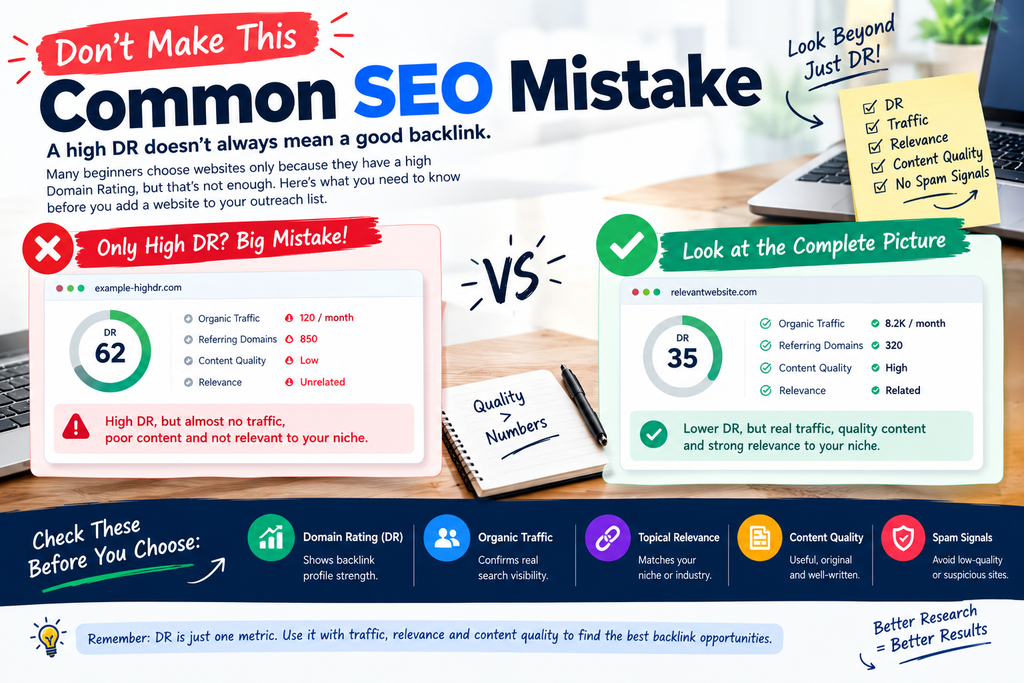
One of the biggest mistakes in backlink research is thinking:
Higher DR automatically means better website.
It doesn’t.
DR is a useful backlink metric, but it doesn’t measure every aspect of a website.
A better evaluation formula is:
DR + Traffic + Relevance + Content Quality + Website Trust
This gives you a much more complete picture.
8. Free SEO Tools for Link Building
If you’re starting SEO, you don’t necessarily need dozens of expensive platforms.
A basic free SEO toolkit can help you with:
🔎 Keyword Research
Find topics and search queries to target.
🔗 Backlink Research
Investigate links pointing to websites.
📊 Traffic Research
Estimate search visibility.
📈 DR Checking
Evaluate backlink-profile strength.
⚡ Bulk Domain Checking
Analyze large website lists faster.
🛠️ Technical SEO
Find issues that may affect crawling and indexing.
Ahrefs itself currently offers a collection of free SEO tools covering areas such as keyword research, link building, website checking, and other SEO tasks.
9. Best Free SEO Workflow for Beginners
Here’s a simple process you can follow.
FIND
Find websites related to your niche.
↓
CHECK DR
Use a free Ahrefs DR checker.
↓
CHECK TRAFFIC
Look at estimated search visibility.
↓
CHECK RELEVANCE
Make sure the website matches your topic.
↓
CHECK QUALITY
Read some actual articles.
↓
CHECK SPAM SIGNALS
Remove suspicious websites.
↓
SHORTLIST
Keep the strongest relevant prospects.
↓
OUTREACH
Contact the website owner or editor.
This workflow is much more useful than simply searching for a list of “high DR websites.”
10. Quick Comparison of Free SEO Tools
| Tool | Main Purpose | Best For |
| Ahrefs SEO Toolbar | DR & UR | Individual website research |
| Ahrefs Free Tools | SEO research | Beginners |
| RaasDigital Bulk DR Checker | Bulk DR checking | Large domain lists |
| Website Traffic Tools | Traffic estimates | Competitor research |
| Keyword Tools | Keyword discovery | Content planning |
Frequently Asked Questions
Is Ahrefs DR checker free?
Yes. Ahrefs currently provides DR and UR through its free SEO Toolbar/account functionality, although advanced Ahrefs features have separate limits or paid access.
What is the best free bulk DR checker?
For bulk research, you can use the RaasDigital Bulk Ahrefs DR Checker, which is designed for checking multiple domains in one workflow.
Check the RaasDigital Bulk Ahrefs DR Checker
What does DR mean in SEO?
DR stands for Domain Rating. Ahrefs uses it to represent the relative strength of a website’s backlink profile on a 0–100 scale.
Is a high DR enough to choose a backlink website?
No. You should also check traffic, relevance, content quality, backlink quality, and potential spam signals.
Can I use free SEO tools for link building?
Yes. Free tools can help with initial prospect research, DR checking, traffic research, keyword research, and website evaluation.
Final Thoughts
You don’t always need an expensive SEO subscription to start researching websites.
With the right combination of free SEO tools, you can check Domain Rating, research website traffic, analyze backlink opportunities, and process large lists of domains more efficiently.
The most important thing is to look beyond one number.
Instead of asking:
“What is the highest DR website?”
ask:
“Is this website authoritative, relevant, active, useful, and worth getting a backlink from?”
That small change in your SEO research process can help you build a much cleaner and more useful prospect list.
🔗 Useful SEO Tools
Free Ahrefs DR Checker: Ahrefs SEO Toolbar
Free Bulk Ahrefs DR Checker: RaasDigital Tools