

Learn how to find low-competition keywords for a new website using free SEO tools, search intent, competitor research and practical keyword analysis.
How to Find Low-Competition Keywords for a New Website in 2026
Starting a new website can be challenging, especially when your pages are competing against established websites with strong domain authority and years of SEO experience. One way to make keyword research more manageable is to focus on low-competition keywords that closely match what your audience wants to learn.
Instead of targeting broad phrases such as “SEO” or “digital marketing,” a new website can investigate more specific searches, such as “how to check website indexing in Google Search Console” or “free keyword research methods for beginners.”
These searches may have more specific intent and can help you create content that answers a particular question.
In this guide, you will learn how to find low-competition keywords for a new website using free tools, Google search results, competitor research and a simple keyword selection process.
What Are Low-Competition Keywords?
Low-competition keywords are search terms for which it may be relatively easier to compete in organic search results than for broader, highly competitive terms.
For example, “SEO” is a broad keyword that attracts many different types of searches. A phrase such as “how to find keywords for a new WordPress website” is more specific and communicates a clearer purpose.
However, a longer keyword is not automatically easy to rank for. The actual competition depends on the websites already ranking, the quality of their content, the search intent and the strength of the pages competing for that query.
Why Are Low-Competition Keywords Useful for New Websites?
A new website often has fewer backlinks, less search history and less established authority than older competitors. Carefully selected keywords can help you focus your effort on topics where you have a realistic opportunity to provide a better answer.
Benefits include:
- More focused content: You can answer a specific question instead of covering a broad topic.
- Clearer search intent: Specific phrases often make it easier to understand what the searcher needs.
- Better content planning: Keyword research helps you discover related questions for future articles.
- Relevant visitors: A well-matched article can attract readers who are genuinely interested in your topic.
Remember that low competition does not guarantee traffic. Search demand, content quality, indexing and ranking position also matter.
Step 1: Start With Your Website’s Main Topic
Before using any keyword tool, decide which subjects your website should cover.
For example, a website focused on technology and SEO might choose these topic areas:
- Search engine optimization tutorials
- Free SEO tools and website analysis
- Google Search Console guides
- Artificial intelligence tools
- Website speed and technical SEO
- Digital marketing for beginners
Choose topics that match your website’s purpose and your ability to explain them accurately.
For Zestwear.pk, a useful starting point is to build a focused group of SEO tutorials around keyword research, website traffic, free SEO tools and Google Search Console.
Create a List of Seed Keywords
Seed keywords are short phrases that describe your main topics. You can use them to discover more specific search terms.
Examples include:
- Keyword research
- Google Search Console
- Website indexing
- Free SEO tools
- Website traffic
- Technical SEO
- Keyword difficulty
Write down around five to ten seed keywords related to your niche. You can then expand each one into more specific questions and long-tail keyword ideas.
Step 2: Find Keyword Ideas Using Google Search
Google itself can help you discover what people search for. You do not need to purchase a paid SEO subscription to begin.
Use Google Autocomplete
Open Google and enter a seed keyword without immediately pressing Enter.
For example, try:
- How to find keywords…
- How to check website…
- Free SEO tools for…
- Why is my website…
- How to improve website…
Review the suggestions that appear. They can reveal common query patterns and useful content ideas.
Autocomplete suggestions are not proof of search volume or low competition. Treat them as ideas that require further investigation.
Check Related Searches and People Also Ask
Search for one of your keyword ideas and examine the results page.
Look for:
- Related searches
- People Also Ask questions
- Common subtopics covered by ranking pages
- Questions that existing articles do not answer clearly
These observations can help you plan headings, FAQs and separate articles.
For example, research around website indexing may reveal related questions about submitting a sitemap, requesting indexing and understanding why a URL is excluded from Google.
Only create a separate article when the question deserves a useful, standalone answer.
Step 3: Use Free Keyword Research Tools

Keyword tools can help you expand ideas and compare potential opportunities. Each tool has different data sources and limitations, so avoid relying on one difficulty score alone.
Google Keyword Planner
Google Keyword Planner is primarily designed for advertising research, but it can also provide keyword ideas and estimated search-demand ranges.
You may need a Google Ads account to access it.
Use it to:
- Enter your seed keywords.
- Select the location and language relevant to your target audience.
- Review related keyword suggestions.
- Compare available search-volume estimates.
- Save ideas that closely match your website’s content.
Its competition metric relates to advertising competition, not directly to organic SEO difficulty. Do not treat a low advertising-competition label as proof that a keyword is easy to rank for organically.
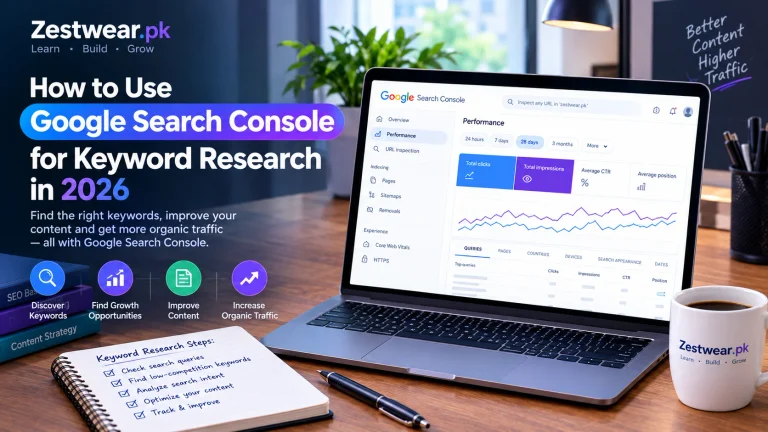
Google Search Console
If your website is already verified in Google Search Console, it can reveal queries for which your pages receive impressions.
To find these opportunities:
- Open Google Search Console.
- Select your website property.
- Open Performance → Search results.
- Select a suitable date range.
- Review the Queries and Pages tabs.
- Look for relevant queries that have impressions but few clicks.
A query may be an opportunity to improve an existing article rather than create a new one.
For example, if a page receives impressions for a specific question that it answers only briefly, consider expanding that section and improving the page title if necessary.
Do not create duplicate articles targeting the same intent without a clear reason.
Google Trends
Google Trends helps you compare interest in search topics over time and across locations.
Use it to check whether a topic is gaining interest, remaining stable or declining. It can also help you compare alternative wording.
Google Trends generally reports relative interest rather than absolute search volume, so combine it with other evidence.
Free SEO Tools
You can also explore free keyword research features offered by SEO platforms. Check the available limits and methodology before relying on their estimates.
For another practical resource, see our guide to [free SEO tools and website analysis].
Step 4: Evaluate the Actual Google Search Results
This is one of the most important steps in keyword research.
A keyword tool can suggest that a term has low difficulty, but the search results may still be dominated by authoritative websites with highly relevant pages.
Search for your candidate keyword and examine the first page of results.
What Should You Look For?
1. Search intent
Determine what users want. Are they looking for a tutorial, a comparison, a definition, a tool or a product?
Your article should match that intent.
2. Relevance
Check whether the ranking pages directly answer the query or only discuss it briefly.
If users want step-by-step instructions, a general overview may not satisfy them.
3. Content quality
Look for missing steps, outdated information, unclear explanations or questions that are not answered.
These gaps can help you create something more useful, but do not assume that older or shorter articles are automatically weak competitors.
4. Firsthand usefulness
If the topic involves a tool, consider testing it and showing the process. Original screenshots and accurate examples can make your content more helpful than a generic explanation.
5. Competition
Review the overall quality and relevance of the ranking pages. Domain authority metrics from third-party tools can provide context, but Google does not use a third-party domain authority score as its ranking metric.
A Simple Competitor Review
For each keyword, record:
| Question | What to note |
|---|---|
| Does the result match the query? | Yes or no |
| Is the answer complete? | Missing details or unanswered questions |
| Is the information current? | Outdated steps or claims |
| Can I add original value? | Testing, screenshots, examples or clearer steps |
| Is the topic relevant to my site? | Strong fit, partial fit or poor fit |
Use your observations to decide whether to write the article, improve an existing page or choose a different keyword.
Step 5: Target Long-Tail Keywords
Long-tail keywords are more specific search phrases. They can be useful because they often communicate a clearer need.
Consider these illustrative examples:
- Broad: SEO tools
- More specific: free SEO tools for beginners
- Specific question: how to check whether a website page is indexed by Google
These examples illustrate keyword specificity, not verified search volume or difficulty.
How to Turn a Broad Keyword Into a Specific Topic
Start with a broad phrase and ask:
- Who is searching?
- What problem are they trying to solve?
- Which tool or platform are they using?
- What result do they want?
- Can I provide a complete and accurate answer?
For example, “website indexing” could lead to a tutorial explaining how to use Google Search Console to inspect a URL and understand its indexing status.
That topic is more actionable than a broad article covering every aspect of search engine optimization.
Avoid making articles unnecessarily narrow just to include a longer keyword. The goal is to satisfy a genuine search need.
Step 6: Build a Keyword Research Spreadsheet
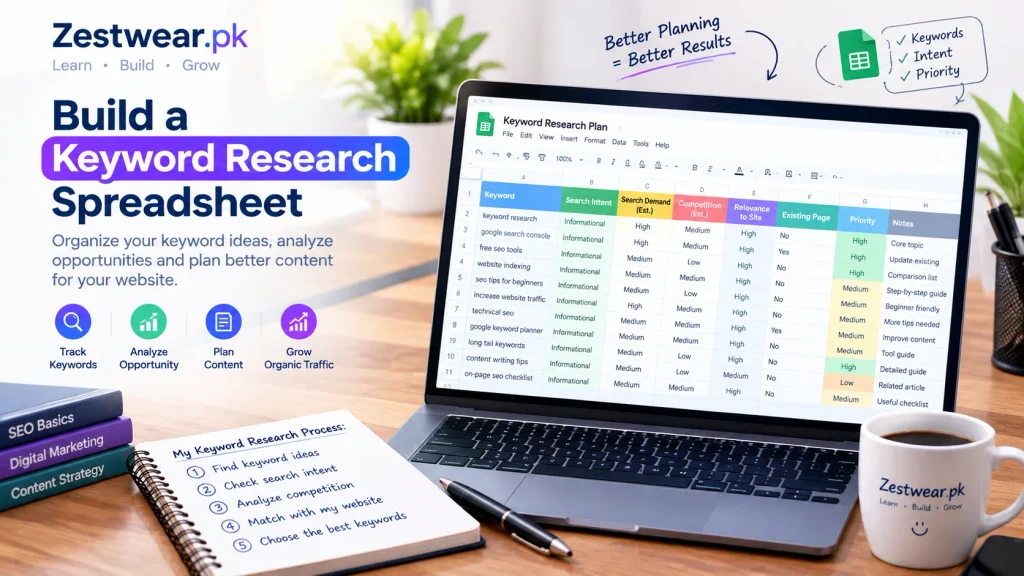
A simple spreadsheet helps you compare ideas and avoid publishing articles without a clear purpose.
Create these columns:
- Keyword
- Search intent
- Estimated search demand
- Organic competition observations
- Relevance to your website
- Existing page, if any
- Planned article title
- Priority
- Research notes
You can use a free spreadsheet tool and update it whenever you discover new ideas.
Example Keyword Planning Table
The entries below are illustrative ideas, not verified low-competition keywords.
| Keyword idea | Search intent | Suggested action |
|---|---|---|
| How to check Google indexing | Informational | Create a practical tutorial |
| How to find low-competition keywords | Informational | Publish a step-by-step guide |
| How to improve website speed | Informational | Explain testing and fixes |
| Free SEO tools for beginners | Informational | Compare useful tools and limitations |
| How to read Search Console queries | Informational | Show the reporting workflow |
Before choosing any of these, examine current search results and available keyword data for your target audience.
Step 7: Choose the Best Keywords for Your New Website
You do not need to choose a keyword just because a tool gives it a low difficulty score.
Evaluate each idea using four questions:
- Is it relevant to my website?
- Does it address a clear search need?
- Can I create a better or more complete answer?
- Is there evidence that people search for this topic?
Give priority to ideas with a strong topical fit, clear intent and a realistic opportunity to add value.
You can use a simple internal scoring system from 1 to 5 for relevance, content usefulness, search-demand evidence and competition observations. This is a planning aid, not a validated Google ranking formula.
Step 8: Create Helpful Content Around Your Keywords
Once you select a keyword, create an article that genuinely answers the question.
Follow a Clear Article Structure
- Use a descriptive title.
- Answer the main question near the beginning.
- Organize the article with logical H2 and H3 headings.
- Explain the process step by step.
- Include original screenshots or tested examples when relevant.
- Link to related articles where they provide additional help.
- Cite reliable sources for factual and technical claims.
- Update the article when instructions or tools change.
Use the focus keyword naturally in the title, introduction or relevant headings where it fits. Avoid repeating it unnaturally to achieve a particular SEO-plugin score.
Improve Existing Articles Before Creating Duplicates
If an existing article already targets a similar query, improve that page when it makes sense.
Add missing explanations, clarify confusing steps, verify outdated information and connect it to relevant content elsewhere on your website.
Step 9: Monitor Results With Google Search Console
After publishing, monitor the page over time.
Review:
- Impressions
- Clicks
- Click-through rate (CTR)
- Average position
- Queries
- Page indexing status
If impressions increase but clicks remain low, inspect the queries and search-result titles to see whether the page matches what users expect.
If a page receives very few impressions, check whether it is indexed, whether the topic has demand and whether the article satisfies a distinct search intent.
New pages may take time to earn visibility. Avoid changing titles every few days based on tiny amounts of data.
Google Search Console can help you make evidence-based improvements rather than guessing what is wrong.
Common Keyword Research Mistakes to Avoid
Choosing Keywords Only by Difficulty Score
Third-party difficulty scores are estimates. Review the actual search results and consider intent, relevance and the quality of competing pages.
Targeting Keywords That Are Too Broad
A new site may struggle to compete for a broad term with many established results. Find specific questions that fit your expertise and audience.
Ignoring Search Intent
An article that does not answer the searcher’s actual question may struggle even if its keyword placement is good.
Publishing Many Similar Articles
Multiple pages that target nearly identical questions can create duplication and make your content strategy less clear. Combine overlapping content where appropriate.
Using AI to Produce Generic Articles at Scale
AI can assist with research, outlining and editing, but automatically publishing large amounts of repetitive content without meaningful user value is not a sound strategy. Verify factual claims and add original insight.
Buying Backlinks or Building Irrelevant Links
Focus on useful content and genuine recommendations. Avoid manipulative link schemes intended to influence rankings.
Frequently Asked Questions
What are the best free keyword research tools?
Google Search, Google Search Console, Google Trends and Google Keyword Planner are useful starting points. Each provides different kinds of information, so combine their insights rather than relying on a single metric.
How do I find low-competition keywords for a new website?
Start with a focused niche, generate specific keyword ideas, check search intent, inspect the current Google results and compare available demand data. Choose topics where you can create a useful, original answer.
Are long-tail keywords easier to rank for?
Sometimes, but not always. Long-tail keywords can be more specific and less competitive, yet the actual difficulty depends on the query and the pages already ranking.
How many keywords should one article target?
Usually, start with one primary topic and cover closely related questions naturally. You do not need a separate article for every variation of a phrase.
Can I rank a new website without backlinks?
It is possible for some queries, but results vary. Helpful content, technical accessibility, search intent and competition all matter. Backlinks can help, but they are not a guarantee of ranking.
How long does keyword research take to produce results?
There is no fixed timeline. Search visibility depends on factors including competition, site history, content quality, indexing and demand. Monitor performance and improve pages based on actual data.
Final Thoughts
Finding low-competition keywords is not about discovering a secret list of easy phrases. It is about understanding your audience, identifying realistic search opportunities and publishing the most helpful answer you can.
For a new website, start with a focused group of topics, research the actual search results, use free tools to collect evidence and track performance through Google Search Console.
Most importantly, prioritize content that genuinely helps readers. A useful article that solves a real problem is a stronger long-term investment than a page created only to repeat a keyword.
Your next step: Choose one keyword, inspect the first page of Google results, document the unanswered questions and create an article that addresses them clearly. Then measure how that page performs and use what you learn to guide your next article.