
How to Clean Up a Cluttered CMS: Database & Media Library Audit Guide 2026
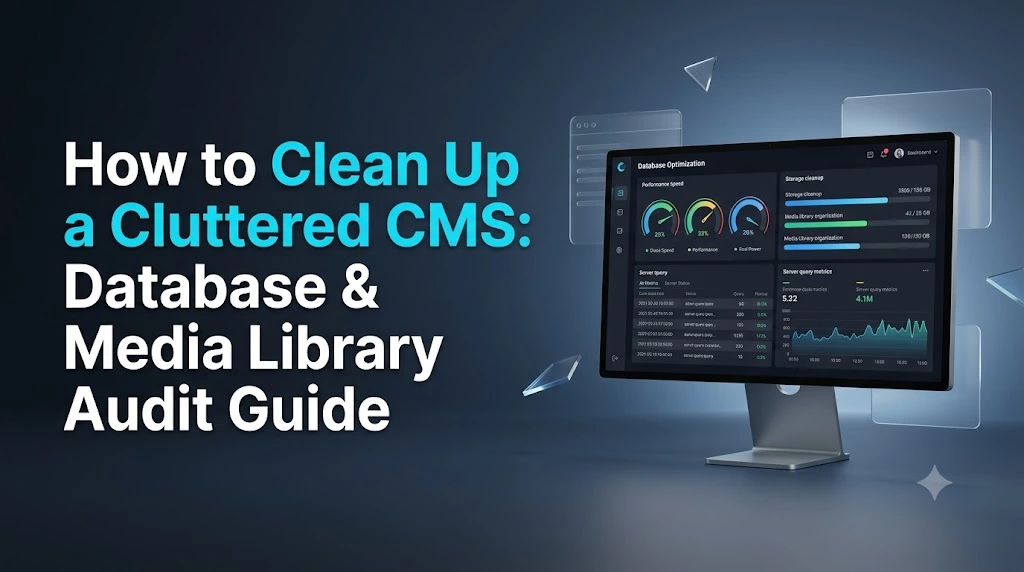
As a website grows over the years, digital clutter can build up without you even noticing. What starts as a clean, organized Content Management System (CMS) can gradually become overloaded with outdated content, unnecessary database records, abandoned plugins, duplicate files, and thousands of unused media assets.
This kind of clutter does more than make the CMS difficult to manage. An oversized database can affect query performance, while an unorganized media library can consume large amounts of server storage and increase backup sizes. Over time, these issues can contribute to slower website management, higher hosting costs, and a less efficient overall system.
The good news is that regular CMS maintenance can prevent these problems from becoming serious. By auditing your database and media library, you can remove unnecessary data, reclaim storage space, and keep your website’s back end organized.
Why CMS Clutter Can Affect Website Performance
Website owners often focus heavily on front-end optimization techniques such as compressing CSS, minifying JavaScript, and enabling caching. While these techniques are important, they are only part of website performance.
The database is responsible for storing and retrieving a large amount of information whenever your CMS needs to load content. Depending on the platform, this can include posts, pages, custom fields, taxonomies, plugin settings, user information, and media metadata.
Over time, unnecessary revisions, expired temporary data, and leftover plugin information can increase the size of the database. A larger and poorly maintained database can make certain queries less efficient, particularly on websites with a large amount of content.
The media library can create another problem. Large images, duplicate files, unused uploads, and outdated image variations can consume significant amounts of server storage. As the media library grows, website backups can also become unnecessarily large, making backups, migrations, and recovery more difficult.
For these reasons, database and media library maintenance should be treated as an ongoing part of website management rather than something that is only done when problems appear.
Phase 1: Audit and Clean the Database
Database cleanup requires caution because the database contains important website information. Before removing anything, always create a complete and downloadable backup of the database and, ideally, a full backup of the website.
A backup gives you a recovery point if something is accidentally deleted or a cleanup operation causes an unexpected problem.
1. Remove Unnecessary Revisions and Auto-Drafts
Many CMS platforms save previous versions of content whenever an article or page is edited. This can be useful when you need to restore an older version, but keeping an unlimited number of revisions can gradually increase database size.
For example, an article that has been edited dozens of times may have numerous previous versions stored in the database. Multiply that by hundreds of articles and pages, and the amount of unnecessary historical data can become significant.
A practical approach is to periodically remove old revisions and unnecessary auto-drafts using a trusted database optimization or CMS maintenance tool.
For long-term maintenance, configure your CMS to retain only a reasonable number of revisions. In WordPress, for example, administrators can limit the number of revisions retained so that the database does not continuously accumulate old versions.
2. Clear Expired Temporary Data
Temporary data, such as cached API responses and other short-term information, can be stored in the database by plugins and CMS features.
These records are generally designed to expire automatically. However, poorly configured or outdated plugins can sometimes leave expired data behind.
Regularly cleaning expired temporary data can help reduce unnecessary database entries and keep the database more manageable.
The important point is to use a reliable maintenance tool or procedure rather than deleting database entries manually without understanding what they contain.
3. Remove Leftover Plugin Data
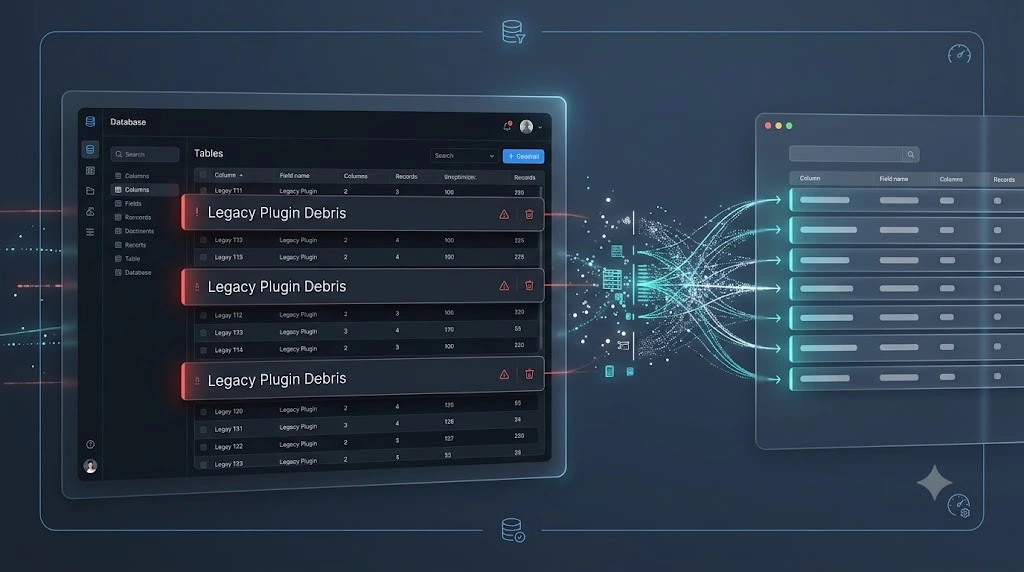
Installing and removing plugins is common during the life of a website. However, uninstalling a plugin does not always remove every piece of data it created.
Some plugins leave behind database tables, settings, or other records even after their files have been removed.
Over several years, these leftover records can accumulate and create unnecessary database clutter.
Before removing them, carefully compare the database tables with your currently installed plugins. Tools such as phpMyAdmin can help you inspect database tables, but database cleanup should only be performed when you are confident that the data is no longer required.
Never delete a database table simply because its name looks unfamiliar.
Phase 2: Clean and Organize the Media Library
The database is not the only area that requires maintenance. On many websites, the media library becomes one of the largest consumers of server storage.
Images, PDFs, videos, duplicate uploads, and automatically generated image sizes can remain on the server long after they are no longer needed.
A good media audit should focus on identifying unnecessary files while protecting assets that are still being used.
1. Identify and Remove Orphaned Media
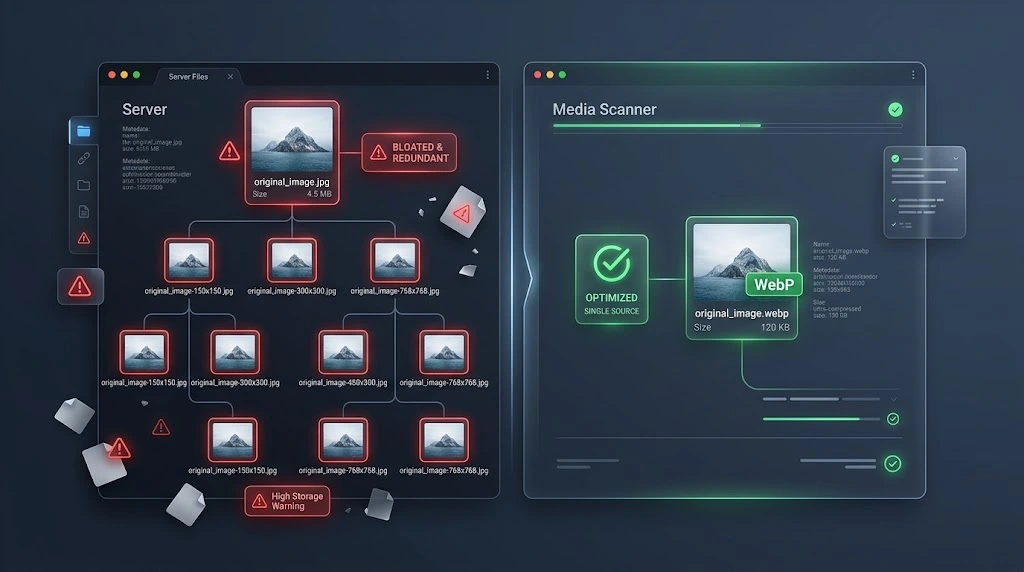
An orphaned media file is a file that remains on the server but is no longer used by an active page, post, custom content type, widget, or other part of the website.
These files can be difficult to identify manually, especially on websites with thousands of uploads.
A media auditing tool or suitable script can help identify files that are not connected to active content. However, it is safer to review suspected orphaned files before permanently deleting them.
One useful approach is to move questionable files into a temporary review area rather than immediately deleting them. If the website continues working correctly and the files are confirmed to be unnecessary, they can then be permanently removed.
You should also check for old image variations.
Many CMS platforms automatically create several versions of an uploaded image for different display sizes. If your website has changed themes or layouts over the years, some of these older variations may no longer be required.
Removing obsolete image sizes can recover a surprising amount of storage.
2. Optimize and Modernize Image Formats
Older websites often contain large JPG and PNG files that were uploaded without proper compression.
A single high-resolution image can occupy several megabytes, and hundreds or thousands of such files can quickly consume significant server storage.
Modern image formats such as WebP and AVIF can provide smaller file sizes while maintaining good visual quality.
Instead of manually optimizing every image, website owners can use suitable image optimization tools that automatically compress and convert new uploads.
The exact ideal file size depends on the image dimensions, quality requirements, and website design. Rather than following one strict number for every image, focus on keeping images as small as practical while maintaining the visual quality required by the page.
The Benefits and Risks of CMS Cleanup
Cleaning a CMS can provide significant benefits, but it should always be approached carefully.
Advantages of a Cleaner CMS
Faster Website Management
Removing unnecessary database data and media files can make the CMS easier to manage. Tasks such as browsing content, managing media, and navigating administrative pages can become more efficient.
Lower Storage and Backup Requirements
A smaller database and media library require less server storage. This can also reduce the size of website backups, making them easier and faster to create, store, and restore.
Better Database Efficiency
Removing unnecessary records reduces the amount of data that the database has to manage. While cleanup alone will not solve every performance problem, maintaining a lean database can contribute to a healthier website environment.
Easier Long-Term Maintenance
An organized CMS is easier to understand and maintain. When unnecessary files and database records are regularly removed, future audits become much simpler.
Risks and Limitations to Consider
CMS cleanup is not completely risk-free.
The biggest danger is deleting something that the website still needs. An image may appear unused in the media library but still be referenced in custom CSS, theme files, widgets, or other parts of the website.
The same applies to database tables. A table that appears to belong to an old plugin may still contain information required by another component.
Large websites also require more time to audit. If a website contains thousands of pages and media files, performing a complete cleanup can become a significant project.
For important or high-traffic websites, testing changes on a staging environment before applying them to the live website is a safer approach.
CMS Maintenance Checklist
Cleaning your CMS once is not enough. Without regular maintenance, unnecessary data will gradually build up again.
A simple maintenance schedule can help prevent this.
Database revisions: Review and remove unnecessary old revisions regularly.
Temporary data: Check expired transients and other temporary database records on a regular basis.
Plugin cleanup: Review database tables and settings left behind by removed plugins.
Media library: Periodically identify unused images, documents, duplicate files, and obsolete image variations.
Image optimization: Compress and convert new images whenever they are uploaded.
Backups: Maintain reliable, recent backups before performing any major cleanup.
The exact frequency depends on how frequently the website is updated. A small website may need less frequent maintenance, while a large content-heavy website may benefit from more regular audits.
Final Thoughts
A clean CMS is an important part of maintaining an efficient and manageable website.
Database clutter, abandoned plugin data, unused media files, duplicate image variations, and oversized uploads can gradually consume resources without being immediately noticeable. By regularly auditing these areas, website owners can reduce unnecessary storage usage, simplify maintenance, and keep their CMS organized.
However, cleanup should never be rushed. Always create a complete backup before making major changes, carefully verify what you are removing, and use a staging environment when possible.
The goal is not simply to delete as much data as possible. The goal is to remove unnecessary digital weight while protecting everything the website still needs.
A regular maintenance routine can keep a CMS lean, organized, and easier to manage long after the initial cleanup is complete.