
Cybersecurity: How to Protect Yourself Online
The internet has become a huge part of our everyday lives. We use it to communicate with people, scroll through social media, shop online, watch videos, work, study, and share parts of our lives with others. But with all these benefits comes a serious question: How safe are we actually online?
For me, cybersecurity was not always something I understood properly. When I first heard the word, I thought it was something like an association that mainly helped people deal with online bullying. I did not realize how much bigger cybersecurity actually was.
Today, I understand cybersecurity as one of the things that helps protect us from online theft, scams, account attacks, privacy violations, and other digital threats. In an era where so much of our personal information exists online, protecting ourselves has become more important than ever.
Why Cybersecurity Matters
I spend a lot of time scrolling through social media, just like many other people. Social media can be entertaining and useful, but it also means we are constantly interacting with strangers, links, websites, advertisements, and accounts that we may not completely trust.
One reason I believe cybersecurity is important is because online privacy is becoming harder to maintain. People share pictures, locations, family information, lifestyles, and sometimes even details about their income without thinking about who might be watching.
The internet remembers a lot.
Something that seems harmless today can sometimes become useful information for someone trying to scam, impersonate, or target you later.
That is why I believe cybersecurity is not only something for technology experts. Anyone who uses the internet should have at least a basic understanding of online safety.
My Experience With Online Scams
I regularly receive links and messages on WhatsApp that are obviously scams. Fortunately, I have never accidentally clicked one of these links or downloaded something suspicious.
My usual approach is simple: I ignore suspicious messages instead of interacting with them.
I also keep my security apps active because they provide another layer of protection against threats that could potentially put my information at risk.
However, security software should not be treated as a replacement for common sense. Even the best security tools cannot make every online decision for us. We still need to think before clicking links, downloading files, or providing personal information.
Fake Social-Media Accounts Can Be Difficult to Spot
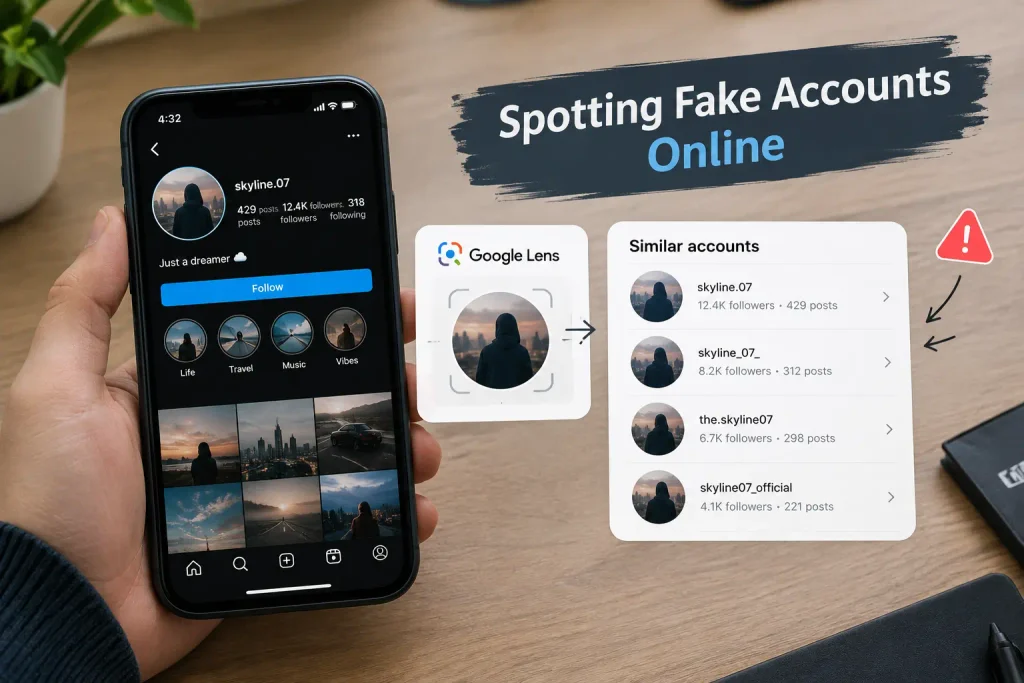
Another interesting experience I’ve had is finding fake social-media accounts.
Sometimes, I use Google Lens to check whether a profile picture appears elsewhere online. It can show multiple accounts or pages using the same image, which can help reveal that a profile picture may have been copied.
This can be particularly useful when trying to determine whether an account is genuine.
However, finding the same image elsewhere does not automatically prove that an account is fake. It is better to look at several things together, such as the account’s history, username, followers, posts, interactions, and whether the person is making unusual requests.
A profile can look convincing and still be fake.
Don’t Share Too Much Personal Information
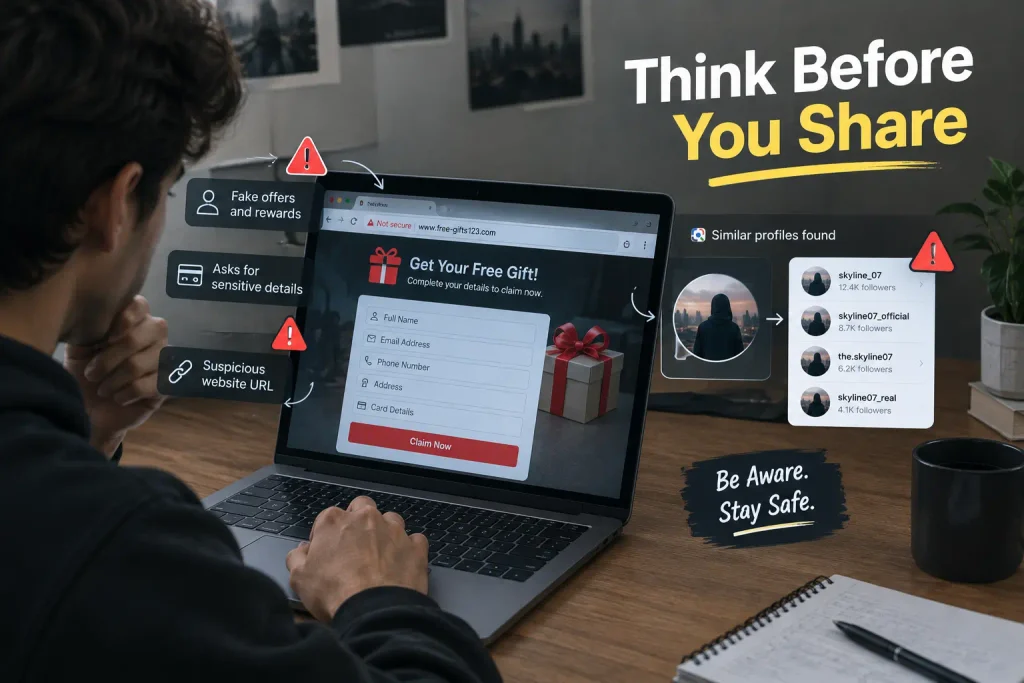
One thing I notice frequently on social media is that people share a lot of their personal lives publicly.
They may share family-related information, their location, where they are going, where they live, what they earn, or other private details.
Personally, I believe we should be much more careful about this.
Sharing a photograph from a family event may seem harmless, but continuously sharing your location or detailed information about your family can reveal more about your life than you intended.
The same applies to income information and other personal details.
Not everything about your life needs to be public just because social media gives you the option to share it.
Be Careful With Passwords
Passwords are one of the first lines of defense for our online accounts.
I personally prefer passwords that I can remember but that other people would not easily know or guess. However, a password should not be based on information that someone could discover from your social-media profiles.
A strong password should be difficult to guess, and using different passwords for important accounts can reduce the damage if one account is compromised.
For people who have trouble remembering many passwords, a reputable password manager can make managing unique passwords much easier.
Another important lesson is not to store passwords in insecure places or share them with other people.
Two-Factor Authentication Adds Another Layer
I also use two-factor authentication (2FA).
In simple terms, 2FA means that your password is not the only thing needed to access an account. You may also need a verification code or another authentication method.
This is important because passwords can sometimes be stolen through phishing, data breaches, or other methods. With 2FA enabled, having the password alone may not be enough for someone to access the account.
If an account offers a reliable two-factor authentication option, I believe it is worth taking the time to enable it.
Why People Fall for Online Scams
I think one of the biggest reasons people fall for online scams is a lack of awareness.
Someone who has never learned how online scams work may not recognize the warning signs. A message can create urgency, excitement, fear, or curiosity and encourage the person to act before thinking.
For example:
“Your account will be deleted today. Click this link immediately to verify it.”
Or:
“Congratulations! You have won a cash prize. Click here to claim it.”
These messages are designed to make people react quickly.
If I received a message like the second example, I would ignore it, block the sender, and report the account or message.
The important thing is not to let curiosity make the decision for you.
Think Before You Trust a Website
Before giving information to a website, I ask myself whether the website is actually trustworthy and whether what it is asking for makes sense.
I also consider whether the service appears legitimate and whether the website is connected to a genuine organization or company.
However, simply seeing a padlock or HTTPS does not mean a website is trustworthy. HTTPS helps protect the connection between your browser and the website, but scammers can also use HTTPS on fraudulent websites.
That is why checking the actual website address, looking for suspicious spelling or unusual domains, and verifying the organization through an independent source can be important.
Don’t Give Your Information to Every Website
For me, this is probably the biggest lesson I have learned about cybersecurity:
Be careful before giving any information to any website.
Sometimes a website may ask for information that it does not really need.
Before entering your name, phone number, email address, location, financial information, or other personal details, ask yourself:
- Do I trust this website?
- Why does it need this information?
- Is this the official website?
- Did I reach this website through a trustworthy source?
- Is the request reasonable?
- Am I being pressured to provide the information immediately?
If you cannot answer these questions confidently, it is better to stop and investigate before continuing.
Keep Your Devices and Apps Updated
Cybersecurity is not only about avoiding scams.
Keeping your phone, computer, browser, and apps updated is another important part of staying safer online. Updates often include security fixes that address vulnerabilities.
It is also useful to download apps and software from official or trusted sources rather than random websites.
A little effort can prevent many unnecessary problems.
Be Careful With Public Information
One of the easiest ways to protect yourself is to think about what information you are making available to strangers.
Before posting something publicly, I think it is worth asking:
“Would I be comfortable if a complete stranger knew this about me?”
If the answer is no, maybe it should not be public.
This does not mean we need to stop using social media or become afraid of the internet. It simply means we should understand that online privacy requires conscious decisions.
Cybersecurity Is Everyone’s Responsibility
Before learning more about cybersecurity, I thought it was mainly connected to online bullying. Now I see that it covers a much wider part of our digital lives.
Cybersecurity is about protecting our accounts, devices, information, identity, privacy, and digital activities.
You do not need to be a cybersecurity expert to become safer online.
You can start with simple habits:
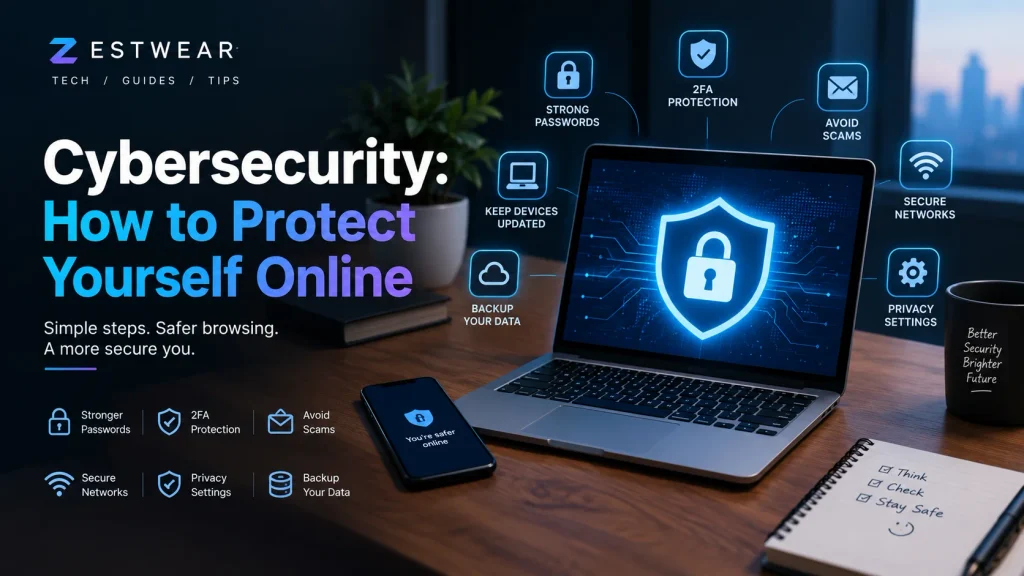
- Use strong and unique passwords.
- Enable two-factor authentication.
- Avoid suspicious links and attachments.
- Keep your devices and apps updated.
- Think carefully before sharing personal information.
- Be cautious with unfamiliar websites and accounts.
- Do not publicly share sensitive family, location, or financial information.
- Block and report suspicious accounts and messages.
- Verify important information through official sources.
- Stop and think before acting on urgent online requests.
Final Thoughts
The internet gives us incredible opportunities, but it also requires responsibility.
My biggest takeaway from learning about cybersecurity is simple: being online means being responsible for what you click, what you share, and who you trust.
We cannot control everything that happens on the internet, but we can control many of our own decisions.
A suspicious message can be ignored. A strange link does not have to be opened. A questionable website does not need our information. A social-media post does not need to reveal our location or private life.
Cybersecurity may sound like a complicated technical subject, but some of the most effective protection starts with something very simple:
Think before you click, and be careful before you share.