
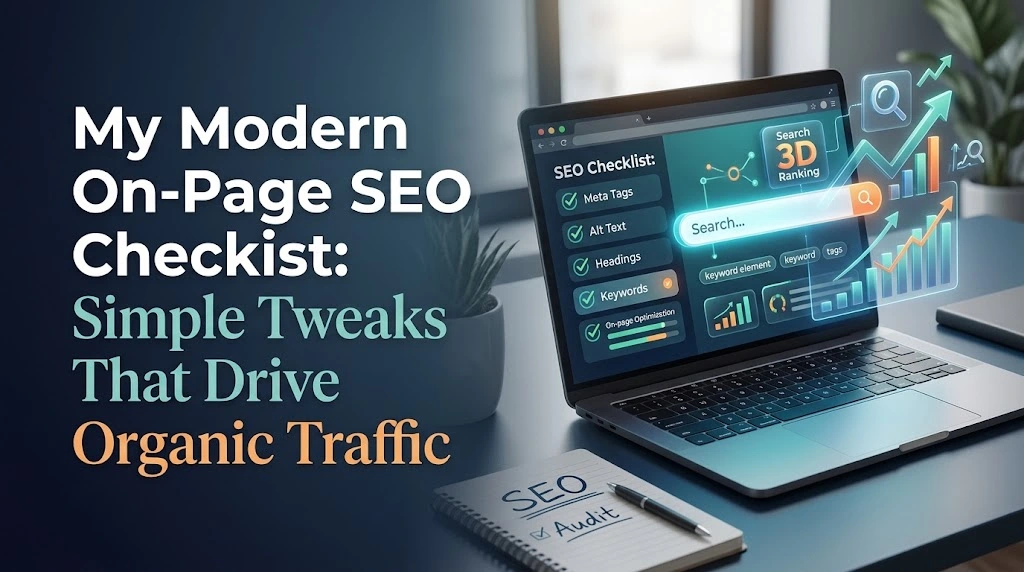
My Modern On-Page SEO Checklist: Simple Tweaks That Drive Organic Traffic
When I first started managing and optimizing websites, I used to think SEO was all about getting thousands of backlinks or writing absurdly complex code. I spent endless hours chasing “secret algorithms” and overthinking technical setups.
Over time, running projects and testing various strategies taught me a very clear lesson: Most sites fail in search results simply because they ignore on-page fundamentals.
While off-page signals like domain authority matter, on-page SEO is where you have 100% control. You don’t need to beg anyone for a link to optimize your own titles, structure your content better, or fix your loading speed.
In this guide, I’m sharing my personal on-page SEO checklist—the exact practical tweaks I make whenever I launch a new post or audit an existing page to grow organic traffic reliably.
1. Matching Search Intent (The Single Biggest Game Changer)
Earlier in my SEO journey, I made the mistake of targeting high-volume keywords without paying attention to what searchers actually wanted. I once spent weeks writing a detailed 3,000-word informational guide for a keyword where Google was exclusively ranking product listing pages. Unsurprisingly, the post never broke into the top two pages.
Before I write anything now, I type my primary keyword into Google in an incognito window and study the top 5 results:
- Are they step-by-step guides, listicles, product pages, or online tools?
- What depth are they covering?
- What questions are they answering right away?
If top results are short, punchy listicles, don’t try to force a dense academic essay. Match the intent first, then make your content more thorough or easier to digest than what’s currently ranking.
2. Front-Loading Keywords in Title Tags and H1s
Your title tag remains one of the strongest direct signals you can tweak. In my testing, moving the core keyword closer to the beginning of the title tag often yields a noticeable ranking boost within a few re-crawls.
My Title Checklist:
- Front-load primary phrase: E.g., “On-Page SEO Checklist: 7 Practical Tweaks” instead of “7 Things I Learned About On-Page SEO Checklist Ideas”.
- Keep length under 60 characters: This prevents Google from awkwardly cutting off your title with an ellipsis in SERPs.
- Add CTR triggers: Words like Guide, Practical, Blueprint, or adding the current year (2026) significantly improve click rates.
Note on H1s: Keep exactly one H1 tag per page. I always ensure my H1 clearly states the main topic while feeling natural for a human reader.
3. Advantages and Limitations of On-Page SEO
Before diving deeper into technical tweaks, it’s essential to set realistic expectations. On-page SEO is powerful, but it isn’t a silver bullet for every challenge.
Key Advantages:
- Total Ownership: Unlike link building or social media algorithm shifts, you have complete control over your on-page elements.
- Fast Implementation: Most tweaks (titles, meta descriptions, alt text, internal links) take minutes to perform and execute.
- High ROI on Existing Pages: Tweaking content that is already sitting on page 2 or 3 can push it to page 1 without acquiring a single new backlink.
- Improved User Experience: Good on-page SEO naturally makes your site faster, cleaner, and easier to navigate for real visitors.
Primary Limitations:
- Diminishing Returns on Highly Competitive Terms: On ultra-competitive keywords, immaculate on-page SEO alone won’t beat domains with massive off-page authority.
- Ongoing Maintenance Required: As search trends and intent evolve, you must periodically update older content to maintain rankings.
- Risk of Over-Optimization: Forcing too many keyword variations into headings or prose can make content sound robotic and degrade conversion rates.
4. Internal Links: My Secret Weapon for Passing Page Rank
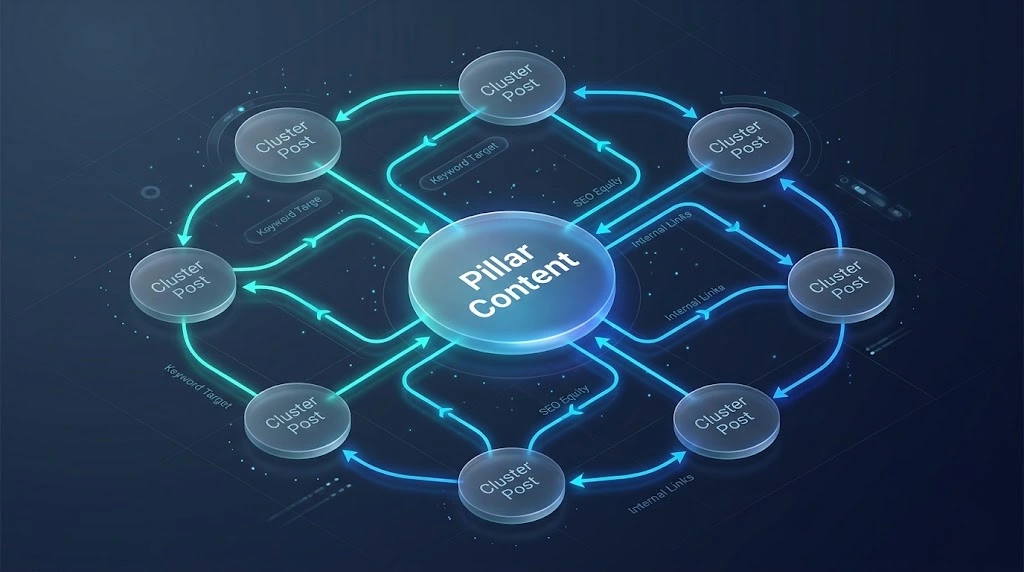
If I could only choose one on-page tactic to focus on besides content quality, it would be internal linking.
When I publish a new article, I don’t just hit publish and walk away. I immediately go to 3 to 5 older, well-established articles on my site and insert contextual links pointing to the new piece.
How I do it effectively:
- Avoid generic anchor text: Never use links that say “click here” or “check this out”. Use keyword-descriptive anchors like “read my guide on [zero-budget marketing strategies]”.
- Build topical clusters: Link related topics together in a structured web. This helps Google understand that your website has deep topical authority in a specific niche.
5. Image Optimization and Site Speed
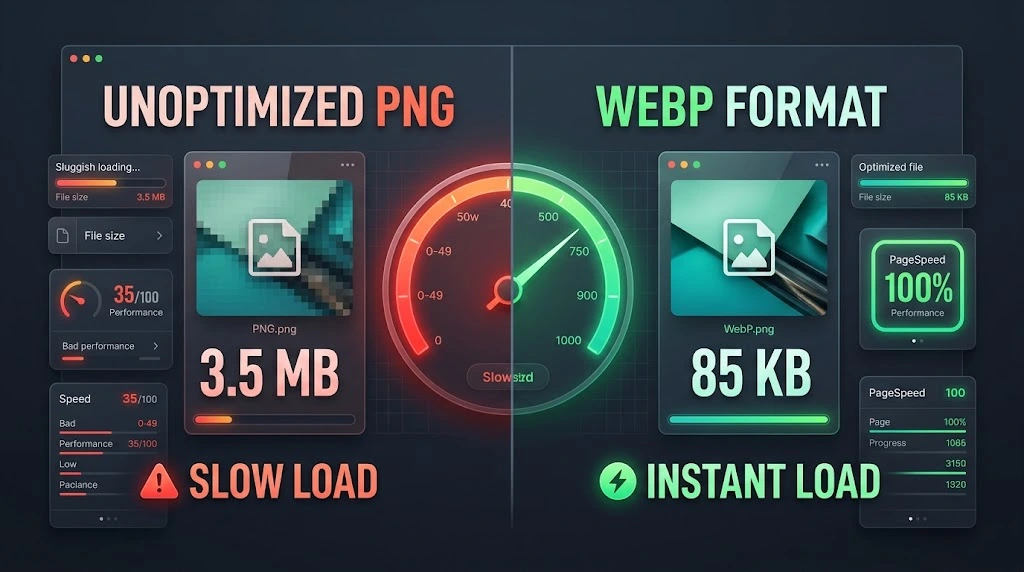
Heavy, uncompressed images are the single most common performance killer I see when auditing websites. A slow site frustrates readers, increases bounce rates, and directly hurts your rankings on mobile devices.
My Simple 3-Step Image Workflow:
- Convert to WebP/AVIF: I never upload raw PNGs or heavy JPGs directly to my site.
- Compress Before Uploading: Keep file sizes under 150KB whenever possible without destroying visual clarity.
- Write Helpful Alt Text: Describe the image accurately for visually impaired readers while naturally incorporating relevant descriptive words. Rename
IMG_9021.jpgto something clear likeon-page-seo-checklist-summary.webp.
6. Structuring Content for Human Scanners
When people land on your article, they rarely read every single sentence from top to bottom. They scan subheadings, bolded text, and bullet points to find the exact answer to their question.
If Google sees users clicking your link, failing to quickly find what they need, and immediately hitting the back button (pogo-sticking), your rankings will drop.
How I Structure Posts for High Engagement:
- Break up text every 200–300 words with H2 or H3 subheadings.
- Use short paragraphs (2–3 sentences max).
- Highlight key takeaways using bold text, bullet points, and quick-reference summary tables.
- Include visually clean callout boxes for important warnings or key pro tips.
Summary Checklist (Bookmark This)
Here is a quick reference table of the exact checklist I follow before publishing any post:
| Optimization Area | Action Step | Priority Level |
|---|---|---|
| Search Intent | Verify top ranking formats (guides vs lists vs tools) | High |
| Title Tag | Keyword front-loaded, under 60 chars, click-worthy | High |
| H1 Tag | Single H1 per page matching topic intent | Medium |
| URL Slug | Clean, short, hyphenated, and contains target phrase | Medium |
| Internal Links | Add 3–5 outbound internal links + update old posts | High |
| Image SEO | Compressed WebP format with descriptive Alt text | High |
| EEAT Signals | Clear updated dates, real examples, author section | High |
Final Thoughts
On-page SEO doesn’t require complex software or thousands of dollars in budget. It simply requires discipline, attention to detail, and a focus on providing real value to your audience.
Pick 3 or 4 of your top-performing or near-page-1 articles today. Apply this simple checklist, clean up your structure, optimize your titles, and add relevant internal links. You’ll be surprised at how much hidden traffic you can unlock just by tightening up what you already have.